
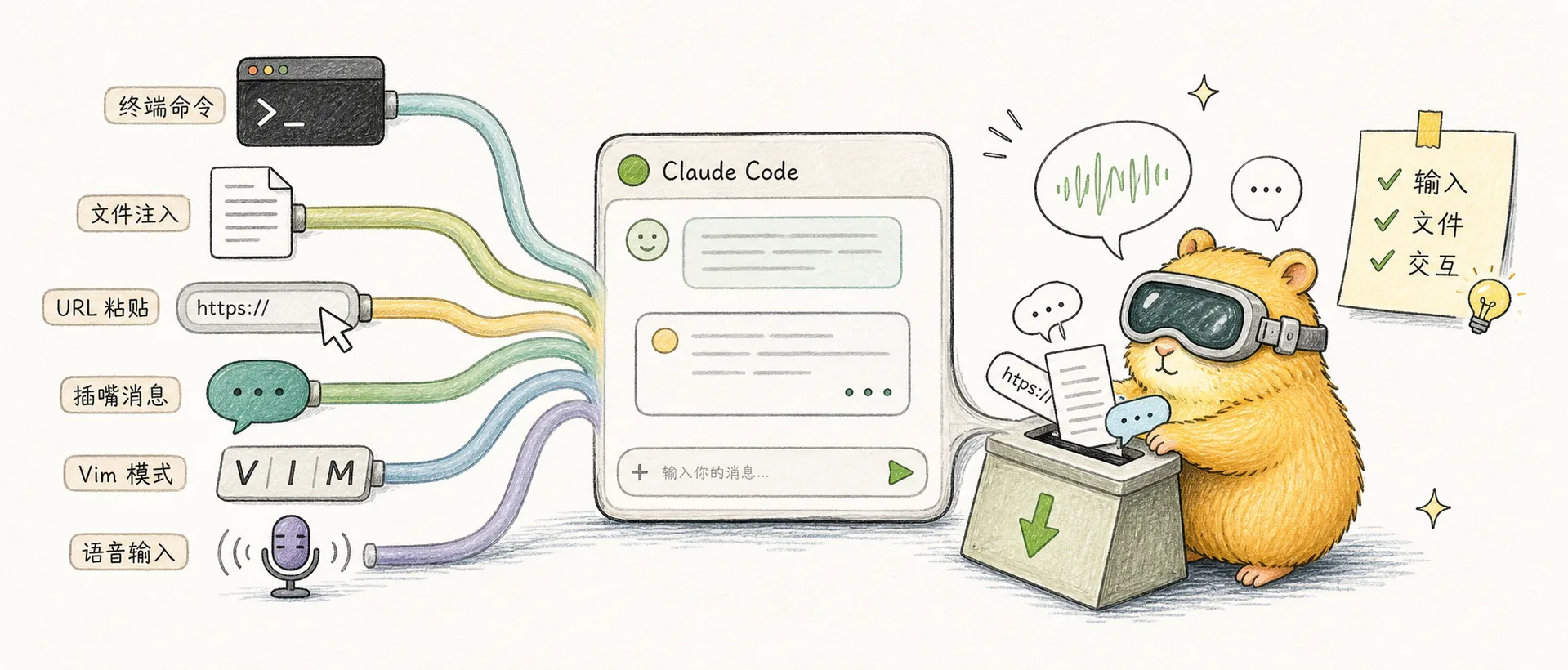
Input & Interaction
Claude Code input & interaction tips: ! terminal commands, @ file injection, URL pasting, /btw interjection, Vim mode, and voice mode
!: Run Terminal Commands Directly
Start your input with ! to run terminal commands directly inside Claude Code, no need to switch to another terminal window:
! git status
! npm run build
! docker ps
Type ! followed by a command prefix and hit Tab to autocomplete from your command history.
@ + File Path: Inject File Context
Use @ followed by a file path to inject file contents directly into the context:
Check if there are any issues between @src/auth/login.ts and @src/auth/middleware.tsTab autocomplete works for paths, so you don't need to type the full path manually. This is faster than having Claude read the file itself, since it skips the tool call overhead.
Paste URLs Directly
Paste a URL directly into your input and Claude will automatically fetch the web content as context:
Write client code based on this API doc https://docs.example.com/api/v2Feed /llms-full.txt to Let Claude Look Up Docs
Many open-source project doc sites provide a /llms-full.txt file (a complete, LLM-friendly version of the docs). When you hit an issue with a library, paste that file's URL and Claude can look up the docs to solve most problems on its own:
Use https://docs.astro.build/llms-full.txt to help me fix this routing issue/btw: Chime In While Claude Is Working
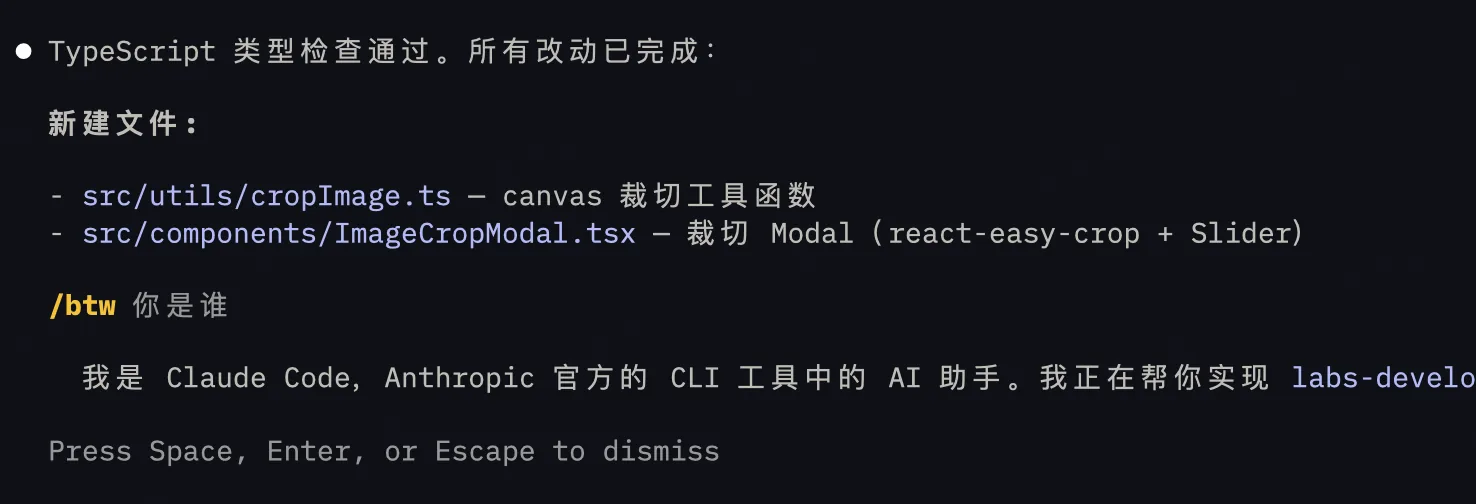
This is a new feature added in March 2026. While Claude is running a task, you can use /btw to start a side conversation — ask what it's thinking, give it extra info, all without interrupting the current task.
As Anthropic engineer @trq212 put it on Twitter: "Nobody Ctrl+C's a coworker. You just say 'btw' and they look up."
Vim Mode
Type /vim to enable Vim mode, which supports:
- Mode switching (Normal/Insert)
- Navigation (h/j/k/l, w/b/e, 0/$)
- Editing operations (d, c, y, p)
- Text objects (iw, aw, i", a())
If you're a Vim user, this is a massive upgrade over the default input experience. Use /config to enable it permanently.
Voice Mode
Type /voice to activate voice mode — hold spacebar to talk, release to send. Great for when you don't feel like typing but still need to give Claude instructions. The key binding can be customized in keybindings.json.
Comments
Keyboard Shortcuts
Complete Claude Code shortcuts guide: Shift+Tab mode switching, Esc+Esc rewind, Ctrl+S prompt stash, Ctrl+B background tasks, Readline keys & more
Thinking & Model Control
Claude Code thinking and model control: trigger thinking depth with think/ultrathink keywords, /effort command, subagents parallelism, and opusplan model strategy