
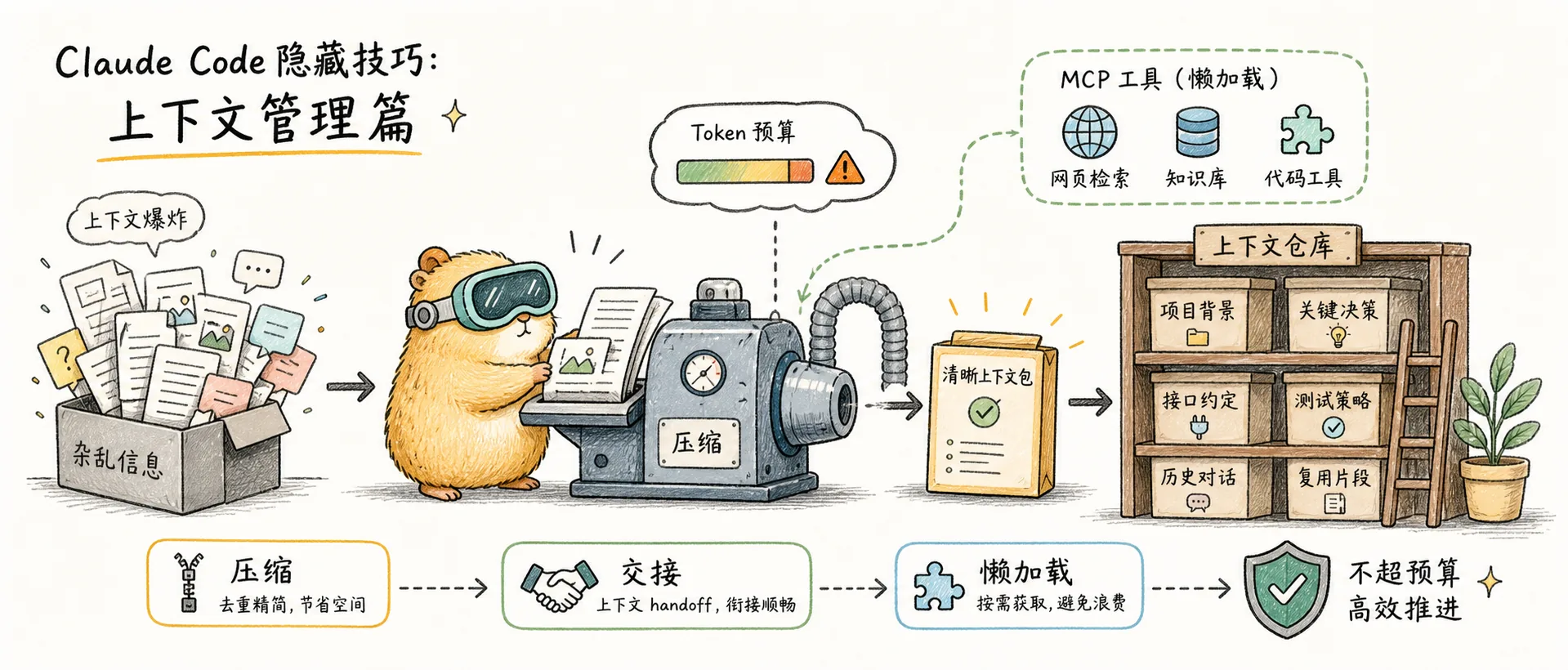
Context Management
Claude Code context management: /compact with arguments, Compact Instructions, preventing token budget abandonment, Handoff protocol, MCP tool lazy loading
/compact Accepts Arguments
Many people know /compact can compress context, but few realize it accepts arguments to specify what to preserve:
/compact Preserve all discussions about database schema and the current refactoring planThis way, the compression will prioritize keeping the content you specified, preventing loss of critical context.
Write Compaction Survival Instructions in CLAUDE.md
Add a ## Compact Instructions section to your CLAUDE.md to tell Claude what must be preserved during compaction:
## Compact Instructions
When summarizing, preserve all TypeScript type changes, error patterns encountered, and the current refactoring plan.
This ensures that even automatic compaction won't lose critical information.
Prevent Claude from Giving Up Early Due to Token Budget
Add this to your CLAUDE.md:
Your context window will be automatically compacted as it approaches its limit.
Never stop tasks early due to token budget concerns.
Always complete tasks fully, even if the end of your budget is approaching.
Sometimes Claude will proactively stop when the context is nearly full, saying "context is almost full." Adding this prevents it from giving up prematurely.
Handoff Protocol: Session Handover
When context is nearly full but the task isn't complete, have Claude write a handoff document:
Write the remaining plan to HANDOFF.md, explaining what you tried, what worked, and what didn't.Then start a new session and simply @HANDOFF.md to restore full context. This compresses 10K+ tokens of context down to under 2K — far more precise than /compact.
Proactively Compact at 70-80%
An easily overlooked point: when context approaches its limit, Claude automatically triggers compaction. But when automatic compaction happens mid-task, it may lose critical information and degrade subsequent response quality.
A better approach is proactive management: manually run /compact when context reaches 70-80% — this works much better than waiting for automatic compaction. Run /clear immediately after completing a task; don't let context grow indefinitely.
You can also trigger automatic compaction earlier via an environment variable:
{
  "env": {
    "CLAUDE_AUTOCOMPACT_PCT_OVERRIDE": "50"
  }
}/context: Context Diagnostics
Not sure how much space remains in the context window? /context will tell you:
- Which tools or MCP services are consuming the most context
- Current capacity usage percentage
- Targeted optimization suggestions
I've found that sometimes just having certain MCP services registered (even without using them) can consume over 30% of the context window. Run /context to check, and cleaning up unused MCPs can free up significant space.
Automatic Lazy Loading of MCP Tools
When MCP tool definitions exceed 10% of the context, Claude Code automatically enables Tool Search — loading a lightweight search index instead of full tool definitions. This reduces MCP context consumption by over 85% (e.g., from 77K tokens down to 8.7K). This feature is enabled by default and requires no manual configuration.
Note: Tool Search only supports Sonnet 4+ and Opus 4+ models, not Haiku. If your ANTHROPIC_BASE_URL points to an unofficial proxy, Tool Search will be automatically disabled (because most proxies don't forward tool_reference blocks).
To customize the behavior, set this in settings.json:
{
  "env": {
    "ENABLE_TOOL_SEARCH": "auto:5"
  }
}
Supported configuration values:
- Not set: Enabled by default
true: Force enable (including unofficial proxy scenarios)auto: Activates when context exceeds 10% (equivalent to default behavior)auto:<N>: Custom threshold, e.g.,auto:5means activate when exceeding 5%false: Disabled, all MCP tools are preloaded
Comments
Session Management
Claude Code session management: /rename sessions, /branch conversations, /color windows, CLI session tools, and remote control
Useful Commands & Automation
Claude Code commands: /diff interactive viewer, /simplify multi-agent review, /batch parallel refactoring, /loop scheduled tasks, and Headless mode flags