
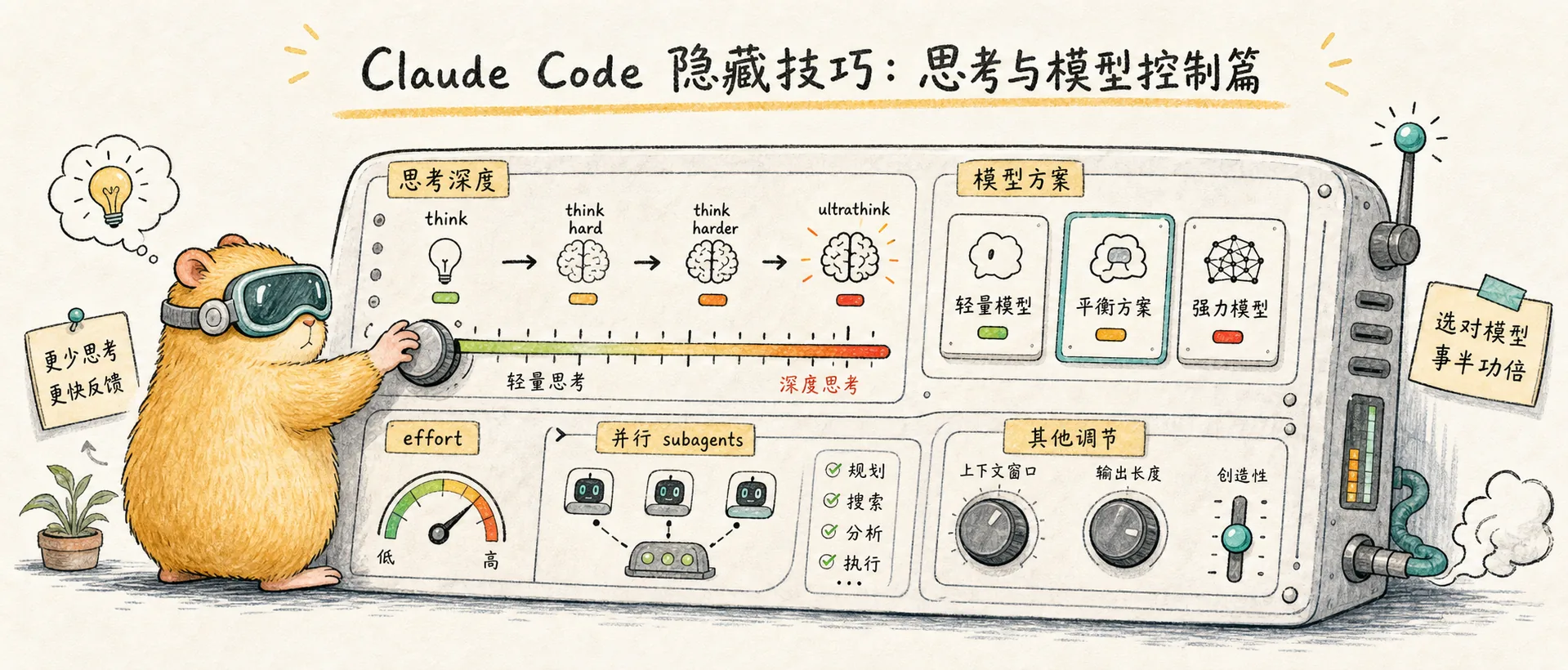
Thinking & Model Control
Claude Code thinking and model control: trigger thinking depth with think/ultrathink keywords, /effort command, subagents parallelism, and opusplan model strategy
Control Thinking Depth with Keywords
Adding specific keywords to your prompts triggers different levels of thinking budget. This is a Claude Code-exclusive feature (not available on claude.ai web):
| Keyword | Thinking Budget | Use Case |
|---|---|---|
think | ~4,000 tokens | Everyday coding questions |
think hard / megathink | ~10,000 tokens | Complex logic, multi-file dependencies |
think harder / ultrathink | ~31,999 tokens | Architecture design, tricky bugs |
In practice, I usually add think hard when Claude gives a shallow answer and re-ask the question. For particularly complex problems (like debugging across multiple services), I go straight to ultrathink.
/effort: Control Thinking Depth
Besides keywords (think / ultrathink), you can use /effort to set thinking depth directly:
/effort low    # Simple tasks, skip deep thinking, faster and cheaper
/effort high   # Complex tasks, deep reasoning
/effort max    # Maximum thinking budget (Opus only)
/effort auto   # Let Claude decide
The setting persists for the entire session. Use low for simple file edits and max for complex architecture design — this saves money without sacrificing quality.
The use subagents Keyword
Append use subagents to any request, and Claude will break the task into multiple sub-agents that run in parallel. This is not only faster but also keeps the main agent's context window clean.
Boris specifically mentioned this on Twitter: offload individual tasks to sub-agents to keep the main agent's context focused.
opusplan: Best Value Model Strategy

One-line summary: Opus thinks, Sonnet does.
/model: Switch Models
Use /model to switch models on the fly during a session. For example, use Sonnet day-to-day, temporarily switch to Opus for complex problems, then switch back when you're done.
Output Style Control
In /config, select "Output style" — there are two uncommon but very useful modes:
- Explanatory mode: Claude inserts "knowledge nuggets" between tasks, explaining relevant frameworks and code patterns — great for learning a new project
- Learning mode: A collaborative learning mode where Claude adds
TODO(human)markers in the code for you to implement yourself, instead of giving you the answer directly
You can also create custom output style files (in Markdown format) at ~/.claude/output-styles/ to directly modify the system prompt. Note: custom output styles will completely replace the default coding system prompt unless you set keep-coding-instructions: true.