
The Complete Guide to Claude Subagents
Master Claude Subagents from concept to practice — understand isolated context, use built-in agents, create custom Subagents, and boost your AI coding productivity
Introduction
A multi-agent system with Claude Opus 4 as the lead agent and Claude Sonnet 4 subagents outperformed single-agent Claude Opus 4 by 90.2% on an internal research eval.
When working on complex tasks with Claude Code, you may have run into this dilemma: the main conversation's context keeps growing, the AI starts "forgetting" important earlier information, and response quality gradually degrades.
Subagents were designed to solve exactly this problem.
If Skills are Claude's "playbooks," then Subagents are the "dedicated specialists" you hire — they have their own workspace (context), focus on specific types of work, and report back with results when they're done.
Understanding Subagents
Imagine you're the CEO of a company. When the company is small, you handle everything yourself. But as the business grows, you start hiring specialists: an accountant for finance, HR for recruiting, engineers for development. Each employee works at their own desk, completes their tasks, and reports back to you.
Subagents play exactly this role in Claude Code.
From a technical perspective, Subagents are specialized AI assistants with the following characteristics:
| Feature | Description |
|---|---|
| Isolated context | Each Subagent runs in its own context window |
| Specialization | Optimized for specific task types |
| Configurable tools | Can only access a designated set of tools |
| Custom prompts | Has dedicated system prompts to guide behavior |
Why Isolated Context Matters
This is the most fundamental design principle of Subagents, and it's worth understanding deeply.
In a regular conversation, all information piles up in the same context. When you ask Claude to search the codebase, analyze files, and then make edits, all those intermediate steps consume context space. As the conversation deepens, the context gets increasingly crowded, and Claude may start "forgetting" important early information.
Subagents change this dynamic:
Main conversation (focused on high-level goals)
│
├── User: Help me optimize this module's performance
│
├── Claude: Let me analyze this...
│   │
│   └── [Calls Explore Subagent]
│       │ In isolated context:
│       ├── Search relevant files
│       ├── Analyze code structure
│       ├── Identify performance bottlenecks
│       └── Returns: Found 3 optimization opportunities...
│
└── Claude: Based on the analysis, I found 3 optimization opportunities...
The Subagent's analysis process doesn't pollute the main conversation. The main conversation only receives distilled results, maintaining clarity and focus.
As Anthropic recommends in their best practices:
Tell Claude to use subagents to verify details or investigate particular questions it might have, especially early on in a conversation or task, tends to preserve context availability without much downside in terms of lost efficiency.
Built-in Subagent Types
Claude Code comes with three commonly used built-in Subagents, ready to use out of the box:
| Type | Model | Purpose |
|---|---|---|
| Explore | Haiku | Fast, read-only codebase exploration |
| Plan | Sonnet | Research codebase and prepare implementation plans |
| General-purpose | Sonnet | Handle complex multi-step tasks |
These built-in agents are automatically invoked based on the task type.
My Understanding and Practice
If you look closely at the three official built-in Subagents, you'll notice a common thread: they're all research and planning tasks. Explore handles codebase exploration, Plan handles creating plans, and even General-purpose is mainly used for research and analysis. None of them are specifically designed for writing code.
This confirms my understanding of Subagents: the core value of Subagents isn't "a clean context" — it's letting the main agent stay focused on doing the work.
Division of Labor
My usage pattern is straightforward: Subagents handle research, planning, and review — the "information gathering" work — while the main agent handles the actual execution.
Subagent (Researcher)          Main Agent (Executor)
     │                              │
     ├── Explore codebase structure  │
     ├── Analyze dependencies        │
     ├── Create implementation plan  │
     └── Return distilled context ───→ Execute tasks based on context
                                     │
                                     ├── Write code
                                     ├── Modify files
                                     └── Run tests
Why I Don't Let Subagents Write Code
Some people like to have the main agent dispatch multiple subagents to write code. I don't think this works well. The reason is simple: severe context deficit.
A Subagent's context is isolated — it doesn't know what was discussed in the main conversation, what decisions were made, or what constraints exist. Having it write code is like asking a newly hired employee to complete a task independently without any background information — the output is likely to miss your expectations.
Positioning Subagents as "researchers" makes much more sense:
- Research tasks inherently require less context
- They return information rather than code, which the main agent can use with full context
- Even if the research results are slightly off, the main agent can course-correct
My Daily Workflow
- Before starting a new task: Have the Explore agent quickly understand the relevant code structure
- Complex task planning: Have the Plan agent analyze requirements and create implementation steps
- Code review: Have a Review agent check code quality and security issues
- Actual coding: The main agent writes code based on the gathered context
Here is my current list of agents:

The benefit of this approach is that the main agent's context window stays clean — it only contains "the information I need to know," not "a pile of intermediate results from the Subagent's search process."
How to Use Subagents
View Available Agents
Use the /agents command to see all available Subagents in your current environment:
/agentsThis will list both built-in agents and your custom agents.
Automatic Delegation
In most cases, you don't need to manually specify which Subagent to use. Claude will automatically select the appropriate agent based on the task type:
- Code exploration tasks → Explore Subagent
- Need to create a plan → Plan Subagent
- Complex multi-step tasks → General-purpose Subagent
Explicit Invocation
If you want to explicitly use a specific agent, you can state it directly in your prompt:
Use the Explore agent to search all files containing authenticationOr:
Spin up a subagent to analyze this module's dependency graphWhere to Find Subagents
Built-in Agents
The three built-in agents that ship with Claude Code (Explore, Plan, General-purpose) work out of the box with no configuration needed.
Community Resources
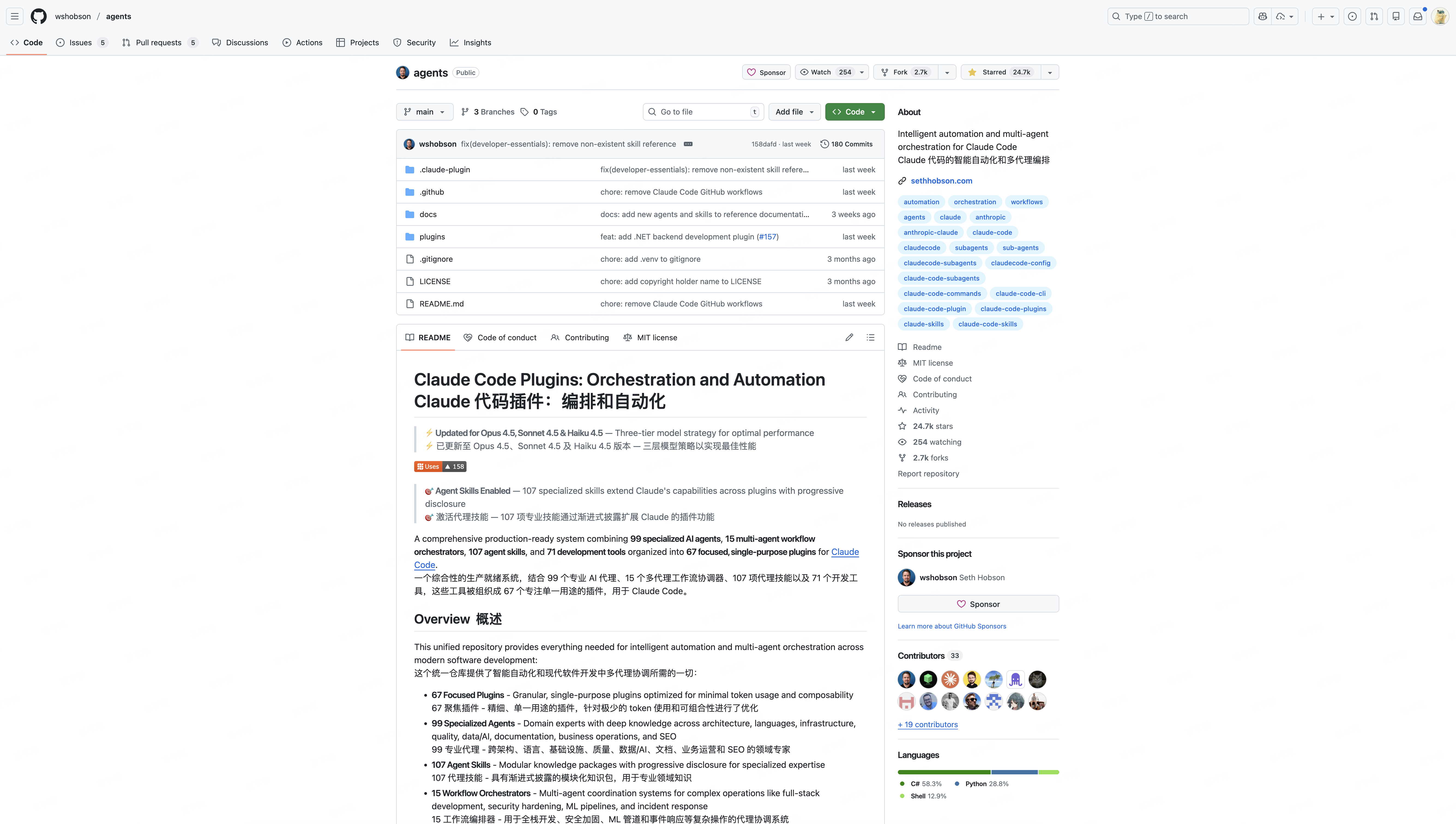
wshobson/agents — A quality Subagent template repository with common agents for code review, test running, and more:
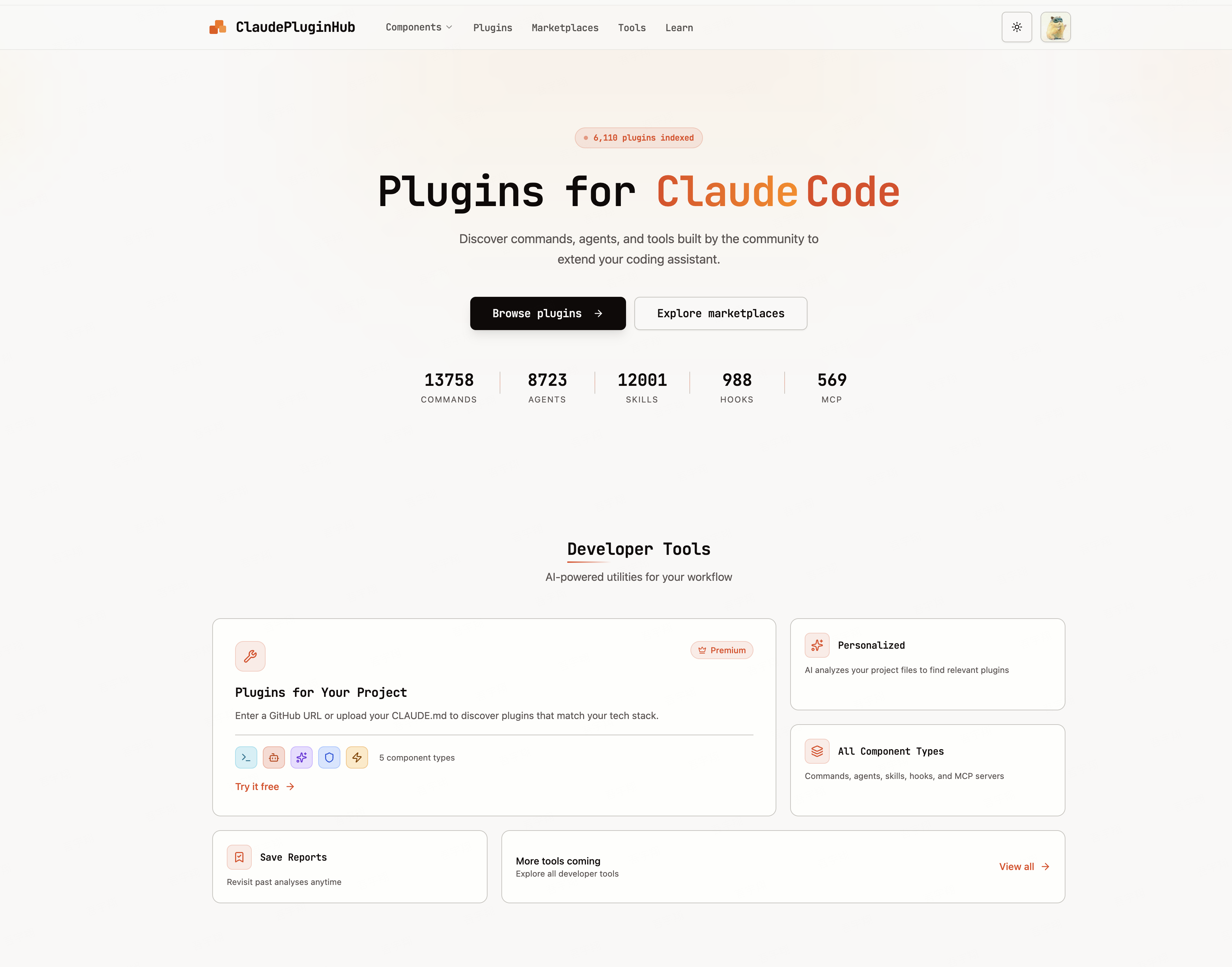
Claude Plugin Hub — A plugin marketplace where you can find various agents and plugins:
Creating Custom Subagents
Beyond using built-in agents and community resources, you can create your own Subagents.
Configuration File Location
| Location | Path | Scope |
|---|---|---|
| User-level | ~/.claude/agents/ | Global, across all projects |
| Project-level | .claude/agents/ | Current project only (higher priority) |
Configuration Format
Each Subagent is a Markdown file containing YAML frontmatter and a system prompt:
---
name: code-reviewer
description: Reviews code for security and style issues. Use PROACTIVELY after code changes.
tools: Read, Grep, Glob
model: sonnet
---

You are a senior code reviewer focusing on:
- Security vulnerability detection
- Code style and best practices
- Performance optimization

## Review Output
1. **Critical Issues**: Security, correctness
2. **Warnings**: Style, performance
3. **Suggestions**: Refactoring opportunities
Field Reference
| Field | Required | Description |
|---|---|---|
name | Yes | Agent name, used for invocation |
description | Yes | Trigger condition description, determines when it's auto-invoked |
tools | No | Allowed tool list; omit to inherit all (including MCP tools) |
model | No | sonnet, opus, haiku, or inherit |
permissionMode | No | default, acceptEdits, or plan |
Tool Permissions
Configure minimum necessary permissions based on the agent's role:
| Role Type | Tool Configuration |
|---|---|
| Read-only analysis (review, audit) | Read, Grep, Glob |
| Research (requires network) | Read, Grep, Glob, WebFetch, WebSearch |
| Development (requires write access) | Read, Write, Edit, Bash, Grep, Glob |
Advanced Capabilities
As independent entities, Subagents can access most of the main agent's capabilities:
MCP Tool Access
Omitting the tools field automatically inherits all MCP tools. To explicitly specify them, use this format:
tools: Read, Grep, mcp__github__create_issue, mcp__linear__list_issuesSkills Knowledge
If you need a Subagent to use knowledge from a specific Skill, reference it in the system prompt body:
---
name: code-reviewer
description: Reviews code for quality issues
tools: Read, Grep, Glob
---

You are a code reviewer. Follow the guidelines in the code-standards skill.

When reviewing:
- Apply project coding standards
- Check for security issues
This way, the Subagent will reference the relevant Skill's guidance during execution.
Permission Modes
| Mode | Behavior |
|---|---|
default | Reads auto-approved, edits require confirmation |
acceptEdits | File edits auto-approved |
plan | Read-only mode, no modifications allowed |
Limitations
- Cannot call other Subagents (prevents infinite recursion)
- Does not support step-by-step planning
Best Practices
- Single responsibility: Each agent focuses on one clear objective
- Least privilege: Only grant necessary tools
- Clear description: The
descriptionfield determines auto-invocation quality — clearly state "when to use it" - Version control: Commit project-level configs to Git for easy team sharing
Final Thoughts
The core value of Subagents is keeping the main agent focused on the work at hand. Position Subagents as researchers rather than executors, and you'll see a significant boost in Claude Code's efficiency.
If you're not yet familiar with the basics of Claude Code, I recommend reading My Claude Code Best Practices first to understand the core commands and workflows.
Further Reading
- Claude System Architecture Explained — Where Subagents fit in the overall Claude system
- What Are Claude Skills — The difference and complementary relationship between Skills and Subagents
Comments
Claude Skills: A Practical Guide
Create custom Skills from scratch — compare MCP, Subagents, and more, and master best practices for enabling, installing, and creating Skills
Claude Code Worktree Complete Guide
Master Claude Code's Worktree feature - run multiple parallel Agents without conflicts for true parallel development workflows