
What is Pi Agent
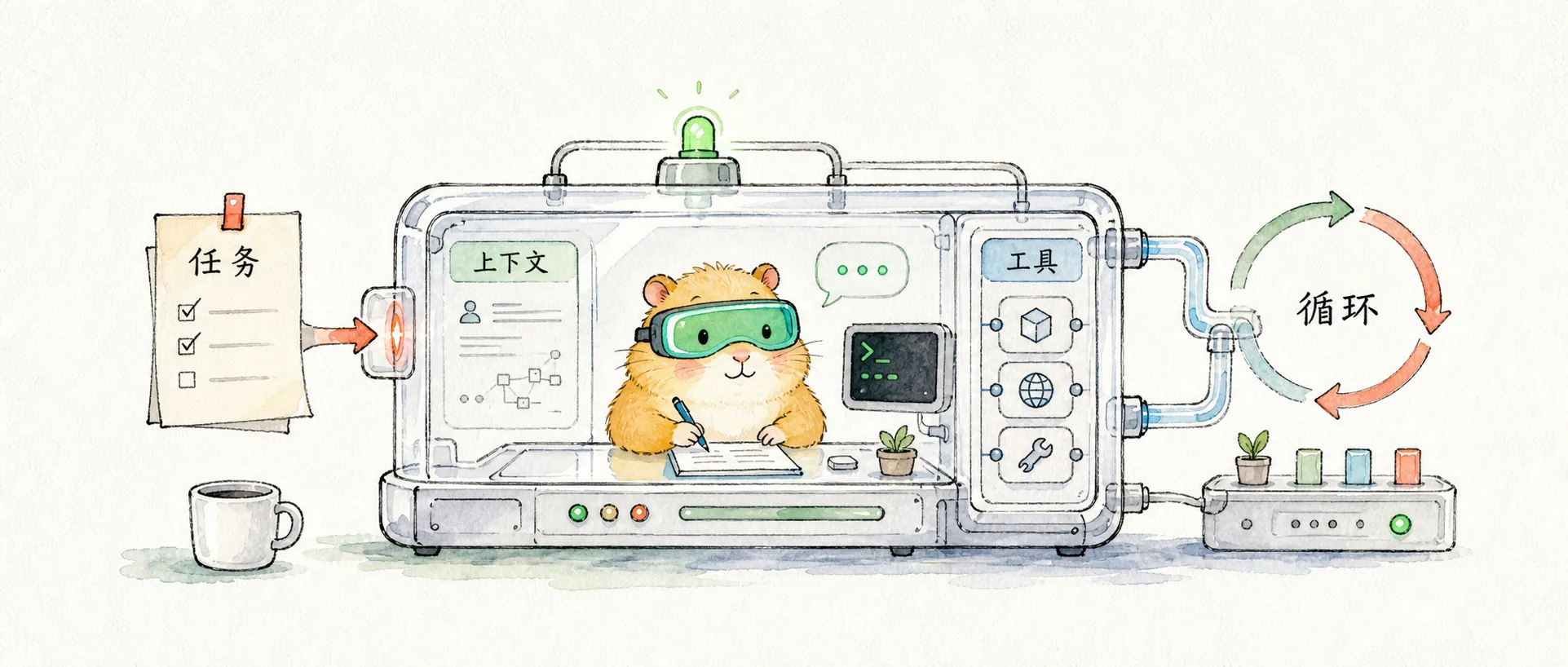
This note clarifies the core positioning of Pi Agent: it's not a new model, nor a more feature-rich IDE, but a minimalist, transparent, and extensible coding agent harness.
Introduction
If you only look at its features, Pi Agent can easily be underestimated: it runs in the terminal, can read and modify files, execute commands, save sessions, and switch models. It sounds like another Claude Code or Codex.
But what I find truly interesting about Pi isn't what it does more of, but what it does less of. It retains the most core layers of an AI programming tool: models, context, tools, sessions, and extensions, then tries not to hardcode the user's workflow in advance.
So I prefer to understand Pi this way:
Pi Agent is not a "more complete" AI programming product, but a thinner, more transparent coding agent harness.
This judgment is more important than a feature list, because it determines how you should learn Pi: not by memorizing commands first, but by understanding what layers a coding agent is actually composed of.
Positioning Pi Correctly
A runtime shell that allows a model to operate in a real-world environment. It dictates what context the model can see, what tools it can call, how tool results return to the conversation, how sessions are saved, and how users can extend the entire process.
An AI programming tool can usually be roughly divided into three layers: model, harness, and engineering environment. But just drawing these three layers is still too abstract. What's truly worth looking at in Pi is how the middle harness layer is further broken down into modules:
There are three key points in this diagram.
First, Pi isn't just a "chat UI." CLI, interactive TUI, print/JSON, RPC, and SDK are just entry points; the AgentSessionRuntime and AgentSession are what truly handle tasks.
Second, Pi performs resource loading before requesting the model. The ResourceLoader organizes AGENTS.md, CLAUDE.md, skills, extensions, and prompt templates, then hands them over to the SystemPrompt Builder to assemble the context the model actually sees.
Third, when the model calls tools, it doesn't directly control the file system. AgentHarness and AgentLoop are responsible for validating tools, executing them, capturing results, and continuing to the next round. Extensions, Tool Registry, and SessionManager extend capabilities and save state alongside this process.
So Pi stands in the middle, but this "middle" is not an empty phrase. It specifically controls: which context enters the model, which tools can be called, how tool results return to the session, and which capabilities are added by extensions.
This is also why many articles introducing Pi emphasize minimal, transparent, and extensible. They are all saying the same thing: Pi tries to keep the core operating layer of the agent small, making it visible and modifiable to users.
How a Task Flows
A single request in Pi isn't "ask the model a sentence, the model replies with a sentence." More accurately, it's a sequence with branches:
The most crucial part here is the back-and-forth between steps four and five. The model doesn't directly touch your file system; it only proposes a tool_call. Pi captures this call, validates the tool name and parameters, triggers any potential extension hooks, executes the real operation, and then puts the tool_result back into the context. The model then decides the next step based on the new context.
This is the difference between a coding agent and a regular chatbot. Chatbots primarily complete tasks within text; coding agents need to interact with an engineering system, so they must have a harness to manage tools, context, and state.
Pi's default tools are few:
| Tool | Meaning |
|---|---|
read | Read a file |
edit | Modify an existing file |
write | Create or overwrite a file |
bash | Execute a shell command |
There are also read-only tools like grep, find, ls that can be enabled or restricted. This toolset seems restrained, but it already forms a programming loop: read code, modify code, run tests, and continue fixing based on errors.
The question behind this design isn't "will Pi do more," but "should more things be in the core by default." Pi's answer is clear: not necessarily.
Why It's Not Rushing to Build Many Features
Many AI programming products integrate features like planning mode, todos, sub-agents, MCP, permission pop-ups, background tasks, and browser tools directly into the product. This makes it quick to get started, but it comes with a cost: it's hard to know what context the model actually received, and it's difficult to adapt the product's workflow to your own.
Pi takes the opposite approach. It keeps the core very small and externalizes the workflow:
| What you want to change | Where Pi delegates it |
|---|---|
| Project rules | AGENTS.md / CLAUDE.md |
| Specialized task methods | Skills |
| Custom tools and UI | Extensions |
| A set of shareable capabilities | Pi Packages |
| Model selection | Provider / Model configuration |
This isn't "lack of features," but a product trade-off: the core only manages the agent loop, while specific workflows are left to users and teams to combine themselves.
For example, Pi doesn't have DeepSearch built-in by default. But this doesn't mean it can't perform deep searches. A more Pi-like approach would be to write an extension: register a deep_search tool, integrate Tavily, Exa, Brave Search, or internal company search, and then let the model call it when needed.
This is different from hardcoding a "search button" into the product. The former is you extending the agent's capabilities; the latter is the product deciding the workflow for you.
Key Point: How to Extend Your Workflow
To truly use Pi, and not just "try it out," the focus must be on extending your workflow.
What's easily confused here is that Pi doesn't just have "plugins" as an extension method. It's more like giving you four layers of entry points: project rules, task methods, real tools, and shareable packages. You need to first determine what kind of thing you want to solidify.
| What you want to solidify | What to use | Suitable scenario |
|---|---|---|
| Project habits and constraints | AGENTS.md / CLAUDE.md | Tell the agent how to modify code, what checks to run, which directories to avoid |
| A set of reusable methods | Skill | Code review, writing articles, releases, documentation generation, image processing – these are "steps and experiences" |
| A real capability | Extension | Register tools, intercept tool calls, add slash commands, add UI, connect to external APIs |
| A set of distributable capabilities | Pi Package | Bundle extensions, skills, prompt templates, themes for personal or team reuse |
My understanding is: A Skill is a manual, an Extension is an executable plugin, and a Package is a distribution container.
For example, my current blog workflow can be broken down like this:
| Workflow Requirement | Where to put it |
|---|---|
"Write content only in Chinese, images must use BlogImage, run pnpm types:check after modifying MDX" | AGENTS.md |
| "When writing concept articles, organize them by misconception, definition, mechanism, example, and boundary" | article-writing Skill |
"Add a deep_search tool to Pi that can query Tavily / Exa / Brave Search" | Extension |
| "Bundle the writing Skill, DeepSearch Extension, and WeChat publishing command for use across multiple projects" | Pi Package |
This is more accurate than simply saying "install plugins." Because many workflows don't require writing code, just a good set of rules or a Skill; but if you want the agent to truly gain a new capability, such as querying external search, querying databases, calling CI, or intercepting dangerous commands, you should write an Extension.
Extension: The True Plugin Layer
Pi's Extensions are TypeScript modules. They can do several types of things:
| Capability | Example |
|---|---|
| Register tools | deep_search, query_logs, open_issue |
| Register commands | /review, /publish, /checkpoint |
| Intercept events | Require confirmation before bash executes rm -rf, sudo, or writes to .env |
| Modify UI | Display status, selection boxes, confirmation boxes, task panels in the TUI |
| Save state | Record todos, connection pools, last search results, task stages |
| Connect to external systems | CI, GitHub, logging systems, internal company APIs |
Extensions can be global or project-specific:
~/.pi/agent/extensions/      # Global extensions, available to all projects
.pi/extensions/              # Project extensions, only used in the current project
To test a temporary extension, you can use:
pi -e ./my-extension.tsAfter placing it in the auto-discovery directory, you can use it in Pi with:
/reloadto reload extensions, skills, prompts, and context files.
This is what I find most valuable about Pi: you're not just "having the model help you write code," but designing a controllable work environment for the model. Extensions determine what capabilities the model can call, hooks determine which behaviors should be intercepted, and commands determine how your own workflows are triggered.
Skill: Don't Write Everything as a Plugin
If a capability is primarily about "how to do something" rather than "calling a real API or executing a program," then it's better suited as a Skill.
A Skill's structure is typically:
my-skill/
  SKILL.md
  scripts/
  templates/
  references/
Pi does not load the entire skill into context at startup. It first loads the skill's name and description; when a task matches, it then lets the model read the complete SKILL.md. This is called progressive disclosure. The benefit is: you can save complex methodologies without polluting the context every time.
For example, "write a good article," "publish to official account," "perform browser QA" are more like Skills. Their value lies primarily in steps, judgment criteria, and reference materials, not necessarily in registering an LLM-callable tool.
Package: Packaging Your Workflow
Once you have a stable set of capabilities, you can consider turning them into a Pi Package.
A Package can contain:
| Content | Purpose |
|---|---|
| extensions | Executable plugins, tools, commands, hooks |
| skills | Work methods and task manuals |
| prompt templates | Common prompt templates |
| themes | TUI themes |
Installation methods are roughly:
pi install npm:@scope/my-pi-package
pi install git:github.com/user/repo@v1
pi install ./relative/path/to/package
pi list
pi remove npm:@scope/my-pi-package
pi update --extensions
Default installation writes to personal settings. If you want to share it with team projects, you can use project-level settings, so the package is recorded in .pi/settings.json. This way, when others enter the project and start Pi, missing packages can be automatically installed.
However, extreme caution is needed here: Packages, Extensions, and Skills can all affect the agent's behavior. A third-party package is not a low-privilege browser plugin; it can run code and instruct the model to execute commands. You should review the source code before installing.
So I would learn Pi's extensions in this order:
- First, use
AGENTS.mdto clearly define project rules. - Then, turn repetitive methods into Skills.
- When real tool capabilities are needed, write Extensions.
- Finally, when reusing across multiple projects, package them.
This learning approach is more stable. You don't jump straight into writing plugins, but first break down your workflow into four categories: "rules, methods, tools, distribution," and then decide which layer of Pi each category belongs to.
What Can Be Seen from the Source Code
When I look at Pi's source code, what's most helpful isn't tracing every function, but seeing which design layer each file represents:
| Source Location | Description |
|---|---|
packages/agent/src/agent-loop.ts | Core loop: connects user messages, model responses, tool calls, and tool results |
packages/agent/src/harness/agent-harness.ts | Harness state: manages sessions, system prompts, tools, hooks, and message queues |
packages/coding-agent/src/core/tools/index.ts | Built-in toolset: default coding tools are read, bash, edit, write |
packages/coding-agent/src/core/resource-loader.ts | Resource loading: reads project instructions, extensions, skills, prompt templates, and themes |
packages/coding-agent/src/core/system-prompt.ts | System prompt construction: puts tool descriptions, project context, skills, and current directory into the prompt |
packages/coding-agent/src/core/extensions/types.ts | Extension system: allows extensions to register tools, commands, shortcuts, UI, and lifecycle events |
These parts together essentially form Pi's heart: it first assembles context and tools, then hands the request to the model; if the model needs to call a tool, Pi executes it; once the result returns, the loop continues.
So Pi's "minimalism" isn't an empty claim. The source code structure itself expresses this idea: separating the agent loop, harness, coding tools, resource loading, and extension system, with each layer being relatively clear.
Pi's Boundaries
Pi offers a high degree of freedom, but freedom does not equate to safety.
Pi packages and extensions can run code; skills can also instruct the model to execute scripts; bash can access your real system. Official documentation and security analyses have warned that third-party packages, extensions, and skills need to be reviewed by the user.
I understand Pi's boundaries in three points:
- It's not a sandbox: Don't treat it as a naturally isolated environment. Dangerous projects are best placed in containers, temporary directories, or clean worktrees.
- It doesn't judge permissions for you: Pi's core philosophy isn't to manage risk with a bunch of pop-ups, but to let you control tools, context, and extensions.
- It's suitable for those who understand engineering boundaries: You need to know when to let the agent run commands, when to only provide read-only tools, and when to create a git checkpoint first.
This is also a difference between Pi and some more productized agents. Productized tools will wrap more security and interaction details for you; Pi gives you more direct control, while also returning more responsibility to you.
How to Learn Pi
When learning Pi, I don't recommend starting with "what commands are there." Commands can be looked up quickly; what's truly worth learning are these questions:
| Question | Why it's important |
|---|---|
| How Pi assembles context | Determines what the model actually knows |
| Why Pi's tool surface is so small | Determines if the agent's behavior is observable |
| How Extension registers tools | Determines if you can integrate your own workflow |
| What's the difference between Skill and Extension | Determines when to write descriptions, when to write code |
| How Session saves and forks | Determines if an engineering exploration can be resumed, reviewed, and continued |
If you've already used Claude Code or Codex, you can treat Pi as an opportunity to "look under the hood": why do some tools feel like black-box products, while others feel like modifiable runtimes, even though they all let the model write code?
This question is more worth asking than "Can Pi replace a certain tool?"
Concluding Thoughts
Pi Agent's most valuable aspect is that it exposes the intermediate layer of AI programming tools.
It reminds us that a coding agent's capabilities don't just come from the model, but also from the harness's design. The model is responsible for thinking, and the harness is responsible for enabling the model to act in a real engineering environment. How context enters, how tools are used, how results return, and how extensions are inserted—these details collectively determine whether the agent is reliable, transparent, and controllable.
Therefore, I wouldn't simply view Pi as a "Claude Code alternative." It's more like an agent runtime suitable for developers to study and modify. You can use it directly to write code, or use it to learn how to design your own agent workflows.
In the next practical article, I will continue with this idea: instead of writing a regular tutorial, I will use Pi Extension to create a deep_search tool and see how to integrate external search capabilities into the agent loop.
Further Reading
Pi 官方使用文档
官方使用文档,包含交互模式、会话、工具、资源加载和设计原则。
Pi Extensions 官方文档
Pi 扩展系统文档,说明如何用 TypeScript 注册工具、命令、UI 和生命周期 hook。
Pi Skills 官方文档
Pi Skills 官方文档,介绍 skill 位置、渐进式加载、命令、结构和校验方式。
Pi Packages 官方文档
Pi Packages 官方文档,说明如何把 extensions、skills、prompt templates 和 themes 通过 npm、git 或本地路径打包安装。
构建一个极简、带观点的 coding agent 学到什么
Pi 作者的设计文章,重点解释为什么选择小工具集、短提示词、可观察性和可扩展性。
Pi:OpenClaw 背后的极简 Agent
Armin Ronacher 对 Pi 的介绍,重点讨论小核心、扩展系统以及它和 OpenClaw 的关系。
Pi Coding Agent 安全与沙箱分析
从安全角度分析 Pi 的沙箱能力和使用风险。
Comments
Practical Guide
Creating a Claude Code subagent from scratch: configuration format, triggering mechanism, practical templates and advanced techniques
Practice Guide
Implement DeepSearch capability with Pi Extension: enabling Pi to break down problems, retrieve information, organize evidence, and generate research conclusions with sources.