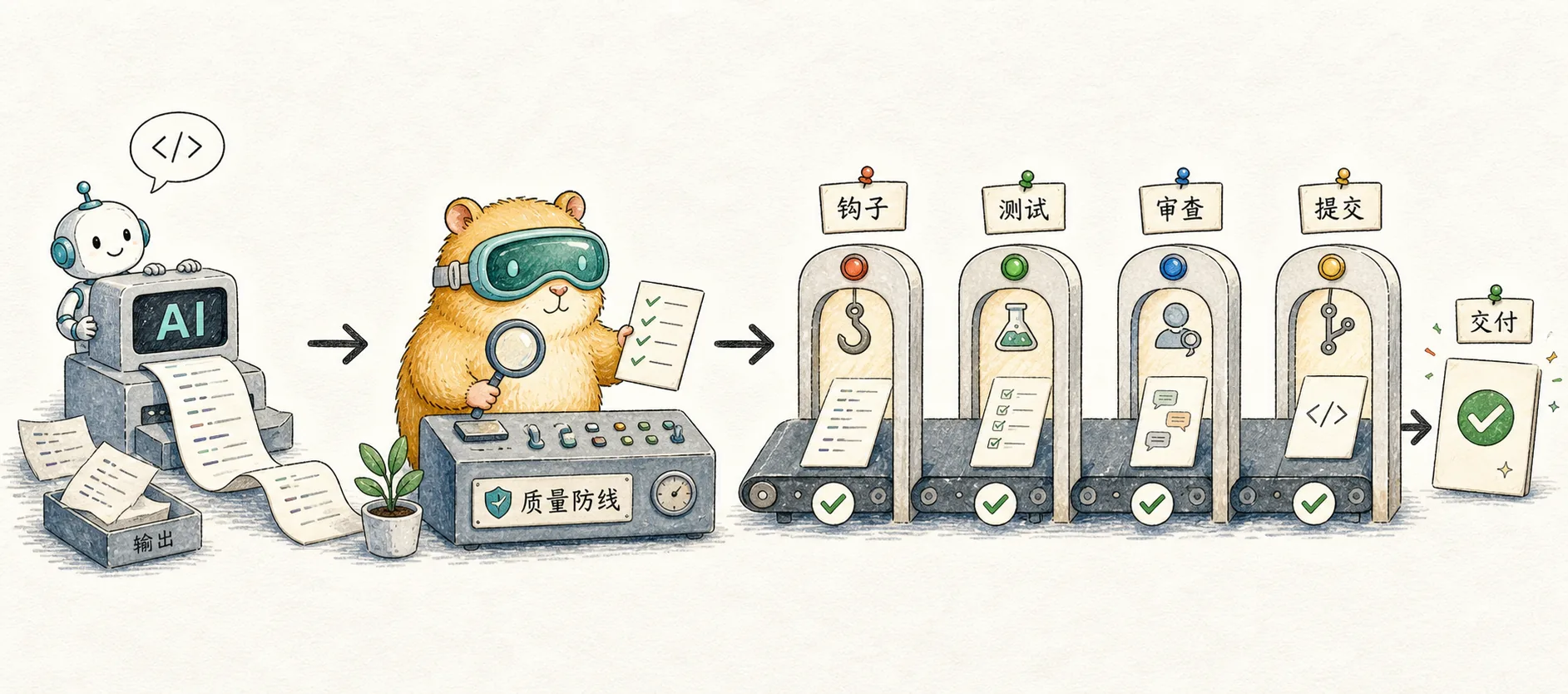
My Claude Code Quality Control Workflow
Sharing my quality control practices with Claude Code — Hooks automation, testing strategy, AI Review, Pre-commit, and GitHub integration as 5 lines of defense
Why Care About Quality Control in AI Programming?
While using Claude Code for AI-assisted programming, I noticed an important phenomenon: although Claude Code can boost development speed by 2-3x, this efficiency gain also introduces new challenges — AI-generated code requires stricter quality checks and quality control.
Without a proper quality control workflow, my productivity with Claude Code actually decreased due to frequent debugging and refactoring.
This led me to a core principle: AI output needs verification, not blind trust.
After six months of practice and refinement, I've built a comprehensive quality assurance system. In this article, I'll share my quality control workflow — a layered process from automated checks to manual review. This system is progressive — you can start with the basics and gradually enhance it as needed.
If you're not yet familiar with Claude Code basics, check out Claude Code Top 10 Best Practices first for the foundational workflow.
Before You Start: Two Preparations for Smoother Quality Checks
Before diving into the specific workflow, two preparations will make subsequent quality checks much more effective.
Organize Code by Feature
There are typically two approaches to organizing project code: by technical layer (layered architecture) or by business feature (feature-based organization). For AI-assisted programming, I chose the latter:
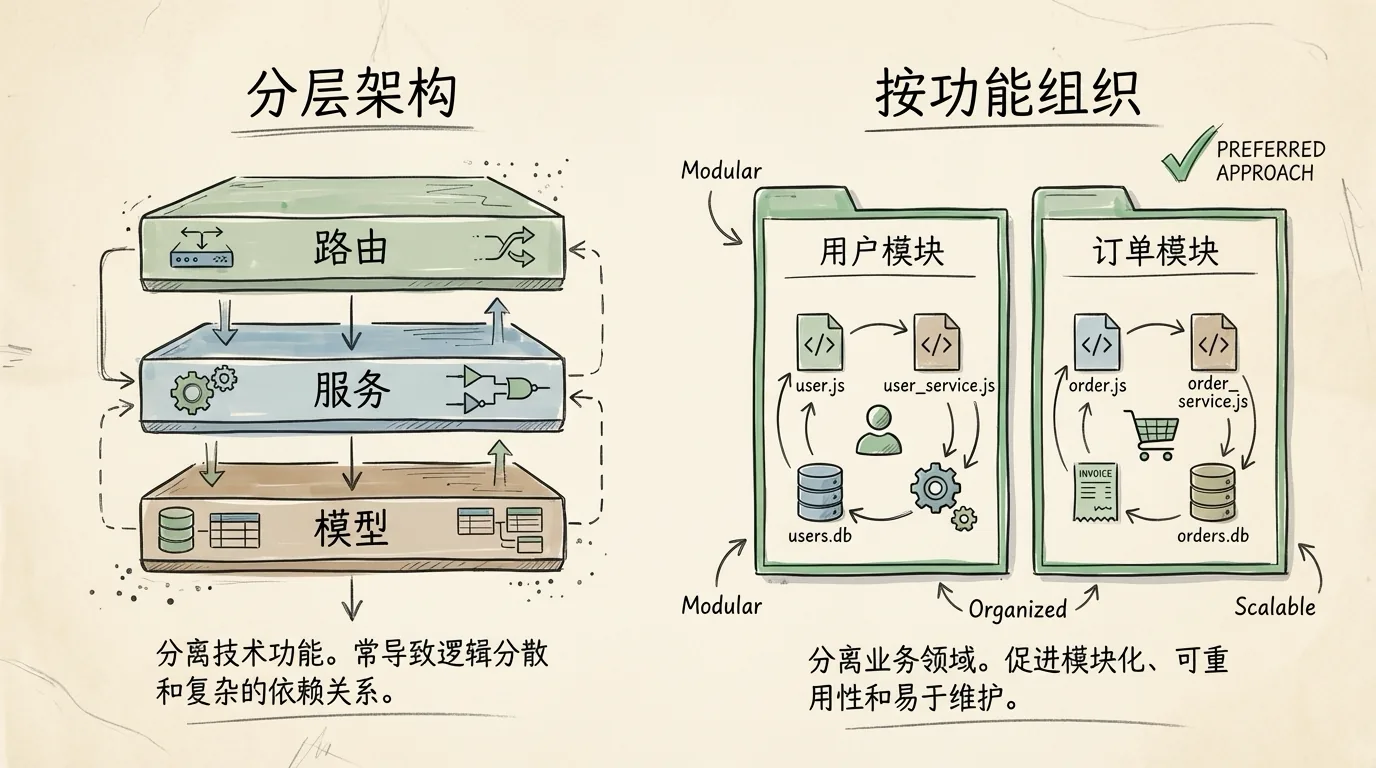
Layered Architecture
src/
├── routers/        # All route/API endpoints
├── services/       # All business logic
├── repositories/   # All data access
└── models/         # All data models
Feature-Based Architecture
src/
├── user/
│   ├── __init__.py        # Python package marker
│   ├── router.py          # FastAPI route definitions
│   ├── service.py         # Business logic
│   ├── models.py          # Database models (SQLAlchemy)
│   ├── schemas.py         # Pydantic data validation
│   └── CLAUDE.md          # Module-specific conventions
└── order/
    ├── __init__.py
    ├── router.py
    ├── service.py
    ├── models.py
    └── schemas.py
Why is feature-based organization more AI-friendly?
Here's an example: when I ask Claude to modify the review feature, with a layered architecture it needs to read routers/review.py, services/review_service.py, models/review_model.py, and possibly schemas/review_schema.py — at least 4 files across different directories. With feature-based organization, all related files are under src/review/, and the AI can understand the entire module's context at once.
Additionally, each module can have its own CLAUDE.md defining module-specific rules and constraints. This lets the AI automatically adapt to different development conventions when switching between modules.
Unify Entry Points with Make Commands
The first thing I do with every new project is create a Makefile. Why?
When AI writes code for you, it needs to know the project's "rules." Instead of telling Claude "please run ruff check && mypy . && pytest" every time, just say "run make check."
Here's my base Makefile template:
.PHONY: help setup dev run stop format check test clean

help: ## Show help
	@grep -E '^[a-zA-Z_-]+:.*?## .*$$' $(MAKEFILE_LIST) | awk 'BEGIN {FS = ":.*?## "}; {printf "  %-15s %s\n", $$1, $$2}'

setup: ## Initialize dev environment (install deps + git hooks)
	@echo "📦 Installing dependencies..."
	uv sync
	@echo "🔧 Installing pre-commit hooks..."
	uv run pre-commit install

dev: ## Local dev mode (hot reload)
	@echo "🚀 Starting dev server with hot reload..."
	uvicorn main:app --reload --host 0.0.0.0 --port 8000

run: ## Production mode (multi-worker)
	@echo "🚀 Starting production server..."
	uvicorn main:app --workers 4 --host 0.0.0.0 --port 8000

stop: ## Stop background services
	@echo "🛑 Stopping server..."
	# Stop service logic

format: ## Format code
	@echo "🎨 Formatting code..."
	black .
	ruff check --fix .

check: ## Code check + type check + tests
	@echo "🔍 Checking code..."
	ruff check .
	mypy .
	pytest

test: ## Run tests
	@echo "🧪 Running tests..."
	pytest

clean: ## Clean cache files
	@echo "🧹 Cleaning up..."
	find . -type d -name "__pycache__" -exec rm -rf {} + 2>/dev/null || true
	find . -type d -name ".pytest_cache" -exec rm -rf {} + 2>/dev/null || true
Why does this work?
- Unified command interface: Regardless of the tech stack,
make formatandmake testalways work - AI-friendly: Claude can easily remember and use these concise commands
- Enforced standards: Team members (or your future self) know exactly what to run
This simple standardization reduces repetitive communication, which is especially effective for AI-assisted development.
The Complete AI Programming Quality Control Workflow
Line of Defense 1: Hooks Auto-Check
The most fundamental part of the Claude Code quality control workflow is automated checking.
After Claude finishes writing code, my configured Hook automatically runs formatting:
{
  "hooks": {
    "Stop": [{
      "hooks": [{
        "type": "command",
        "command": "make format",
        "timeout": 60
      }]
    }]
  }
}
This ensures code style consistency without manual intervention.
Line of Defense 2: Testing Strategy
My approach to mocking might differ from many: avoid mocking whenever possible.
The reason is simple — passing mock tests doesn't mean it works in the real environment. I've encountered this multiple times: all unit tests green, but issues appear in production because mocks masked real boundary conditions. This problem is even more pronounced with AI-generated code: AI tends to write tests that "cooperate" with its own code — writing tests to pass rather than truly verifying edge cases. Integration tests catch these issues more effectively.
Of course, some scenarios require mocking: paid API calls, time-dependent logic, unreliable third-party services. But beyond those, I lean toward integration tests.
As for coverage, my target is 80% — covering core logic is sufficient, no need to chase 100%. When modifying a module, running pytest tests/user/ provides quick validation without waiting for the full test suite.
To make Claude follow this testing strategy, I specify the requirements in CLAUDE.md:
## Testing Standards

- When implementing new features, write tests first, confirm they fail, then write the implementation
- Run `make test` after every change to ensure nothing is broken
- Don't modify tests just to make them pass
- Use mocks for external APIs and time-dependent logic; prefer real dependencies otherwise
Line of Defense 3: Local AI Review
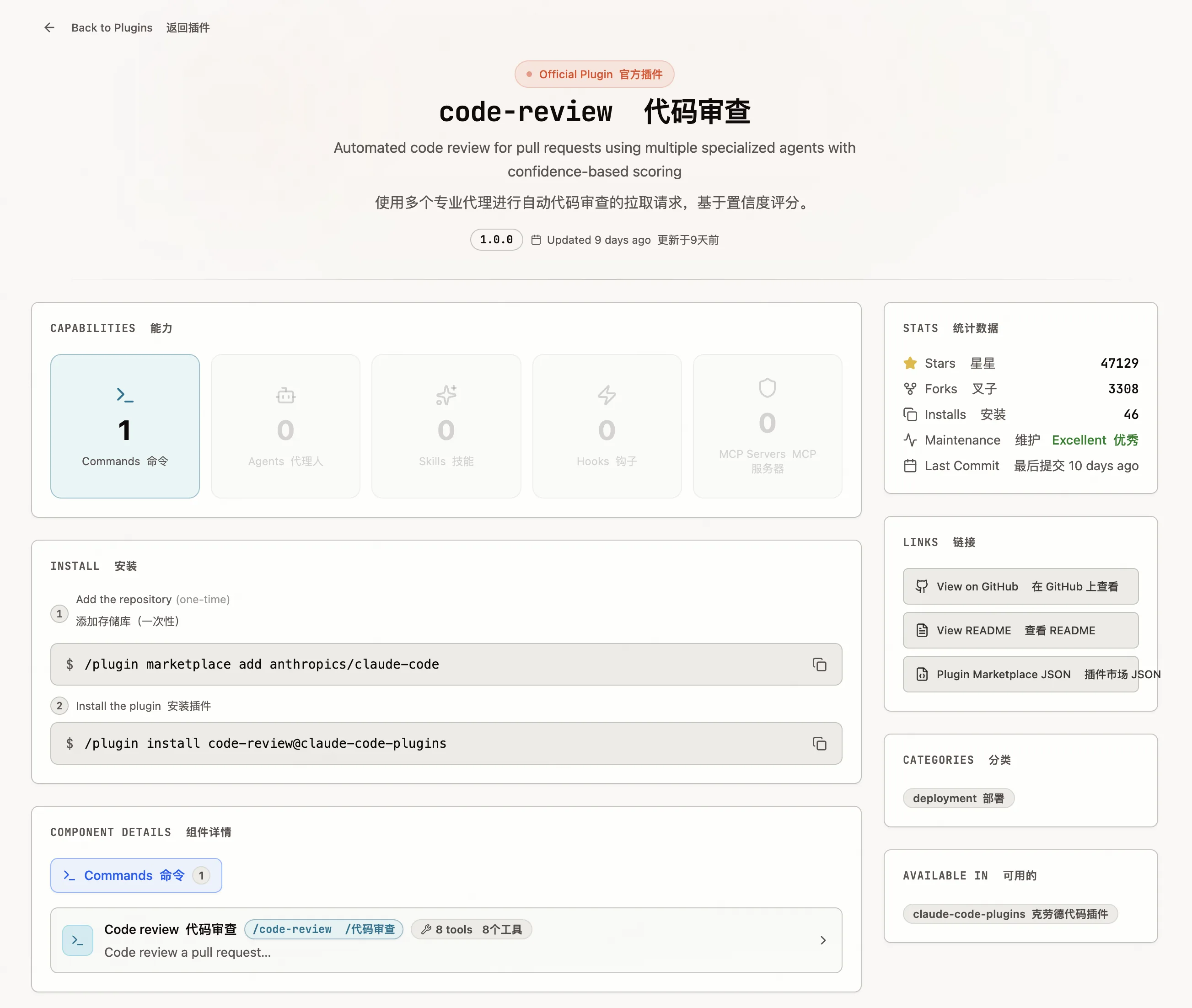
For significant changes, I use Claude Code's Commands for code review. I usually ask Claude to review changes in a specific directory, like "review the changes in src/order/ this time" — more focused context.
# Use dedicated review Commands
/code-review:code-review
When to use?
- Must: Architectural changes, new features, security-related
- Recommended: Important business logic changes
- Optional: Small bug fixes, simple copy changes
As a solo developer, I also periodically have Claude review entire modules. This isn't practical in team settings — since code is written by different people, casual refactoring can step on toes. But as a solo developer, there's no such concern, and issues can be addressed immediately.
Line of Defense 4: Pre-commit Hook
This is the most critical component — if checks fail, code simply cannot be committed.
My approach uses the pre-commit framework with make check, and the configuration is straightforward:
# .pre-commit-config.yaml
repos:
  - repo: local
    hooks:
      - id: make-check
        name: Run make check
        entry: make check
        language: system
        pass_filenames: false
All check logic is managed centrally in the Makefile, and pre-commit just triggers it at commit time.
Then add a setup command to the Makefile:
setup: ## Initialize dev environment
    @uv sync
    @uv run pre-commit install
After running make setup, every git commit will automatically trigger make check.
For solo development, this step could technically be done manually. But I still recommend configuring the setup command — this way, when switching machines or re-cloning the project, a single make setup restores the dev environment without remembering all the steps or reconfiguring everything.
These configuration tasks themselves can be done by Claude Code — tell it "help me set up pre-commit to run make check on commit" and it'll generate the config files and install everything.
Line of Defense 5: GitHub Integration
Claude Code offers GitHub integration that automatically triggers AI code review on every Pull Request.
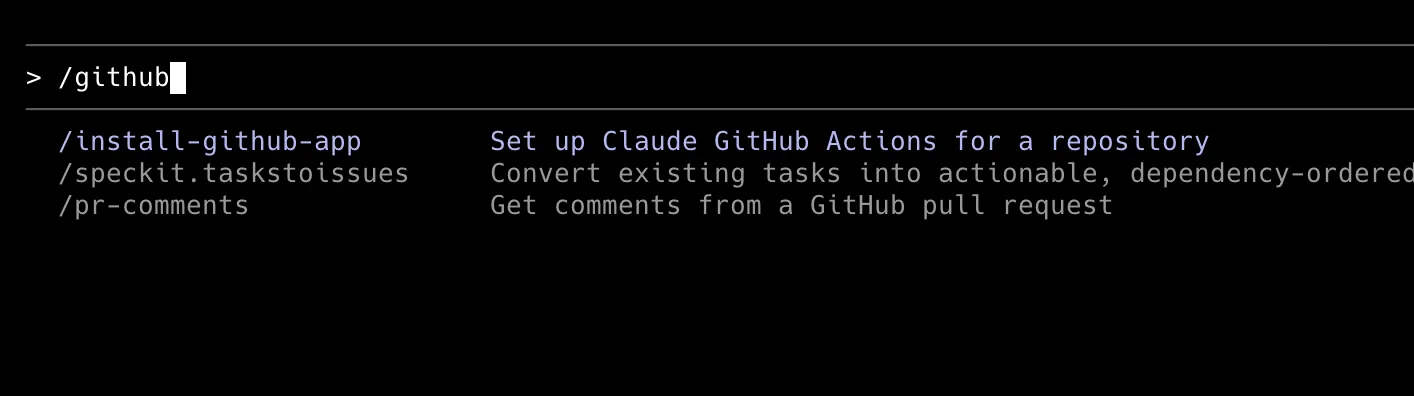
Run /install-github-app in Claude Code and follow the prompts to complete authorization.
Once installed, you'll find a new .github/workflows directory in your project containing Claude's review workflow configuration.
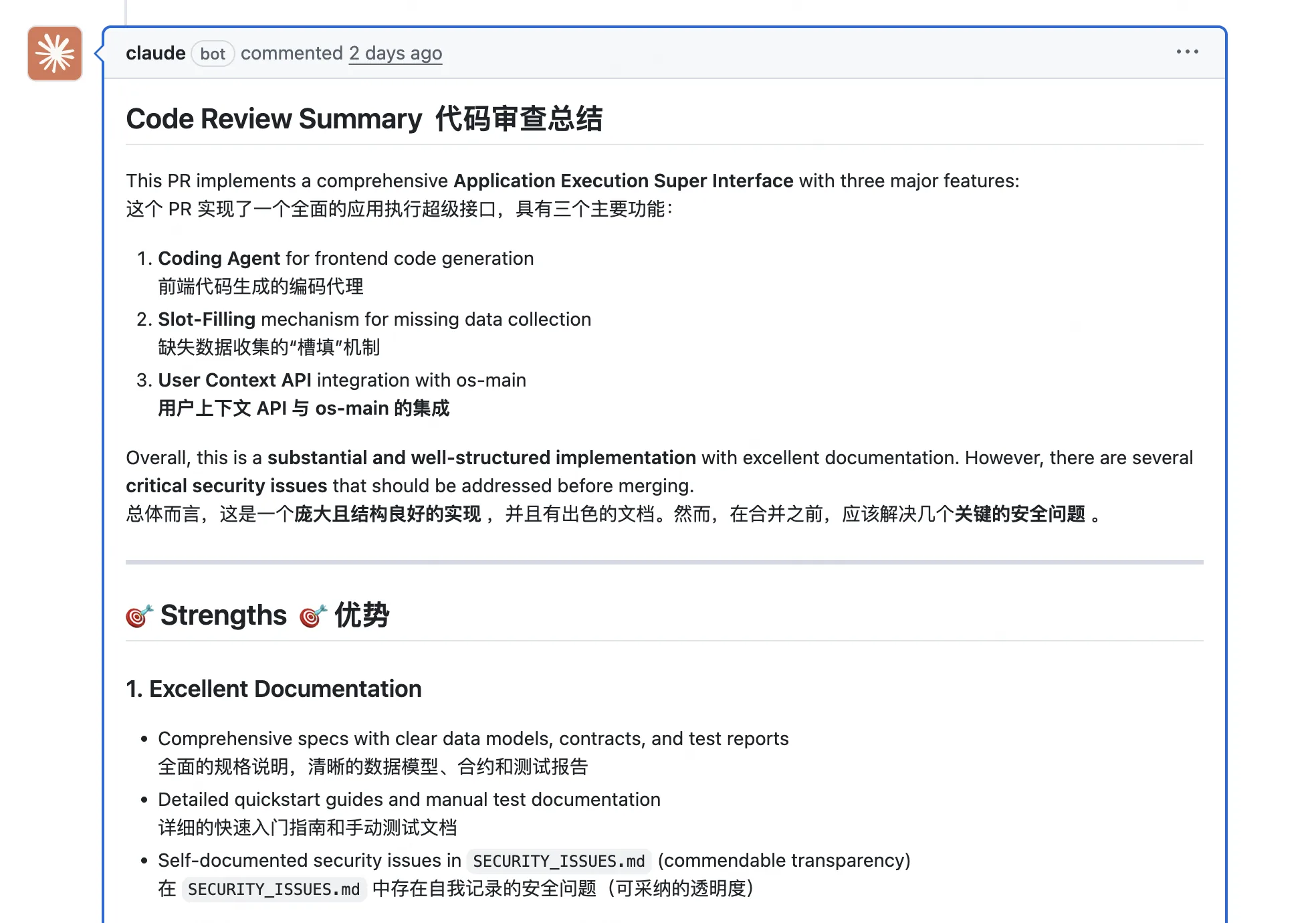
After this, every PR submission triggers Claude to automatically review the code and leave comments on the PR. If you want to adjust its review style or focus areas, you can directly modify the prompt configuration in the workflows.
This is the final quality gate — code goes through one more round of AI review before merging, ensuring no issues are missed.
Quality Control System Overview
These five lines of defense form a complete quality assurance system:
| Defense Line | Method | Trigger | Purpose |
|---|---|---|---|
| Hooks | Automated | After code completion | Ensure consistent code style |
| Testing | Manual + Auto | After feature implementation | Catch logic issues |
| AI Review | AI review | On major changes | Get immediate feedback |
| Pre-commit | Automated | Before commit | Prevent low-quality code from entering the repo |
| GitHub Integration | AI review | On PR | Final review gate |
This quality control workflow spans from automated to manual, from local to cloud, ensuring the quality of code generated by Claude Code.
Conclusion: Quality Control in the AI Era
The age of AI programming is here, but quality control will never go out of style.
This complete Claude Code quality control workflow chains together five layers of quality control into a tightly-guarded quality assurance system. Regardless of which AI programming tool you use, the principles behind this quality control approach are universal.
I hope this detailed experience sharing on AI programming quality control helps you build a quality assurance system that works for you. Feel free to leave a comment if you have questions or want to share your own practices!
Further Reading
- Claude System Architecture Deep Dive — Understanding the role of Hooks, Skills, and other components in the architecture
- From Eclipse to Zed: A Developer's Editor Evolution — The workflow evolution toward lightweight editors + heavy terminal usage
- GSD Deep Dive — Another spec-driven approach to AI programming quality assurance
Related Posts
My Claude Code Best Practices
Sharing my experience with Claude Code — 10 core tips, slash command guide, and custom command configuration to boost your AI programming efficiency
From Eclipse to Zed: A Developer's Editor Evolution
From backend to full-stack development, from VS Code with 200+ plugins to a terminal-first workflow — how my editor choices evolved with the AI era
What exactly is a self-improving agent improving?
From Reflexion, Voyager, ADAS, AFlow, DGM, SEAL to AlphaEvolve, we map out the technical landscape, key papers, engineering practices, and risk boundaries of self-improving agents.