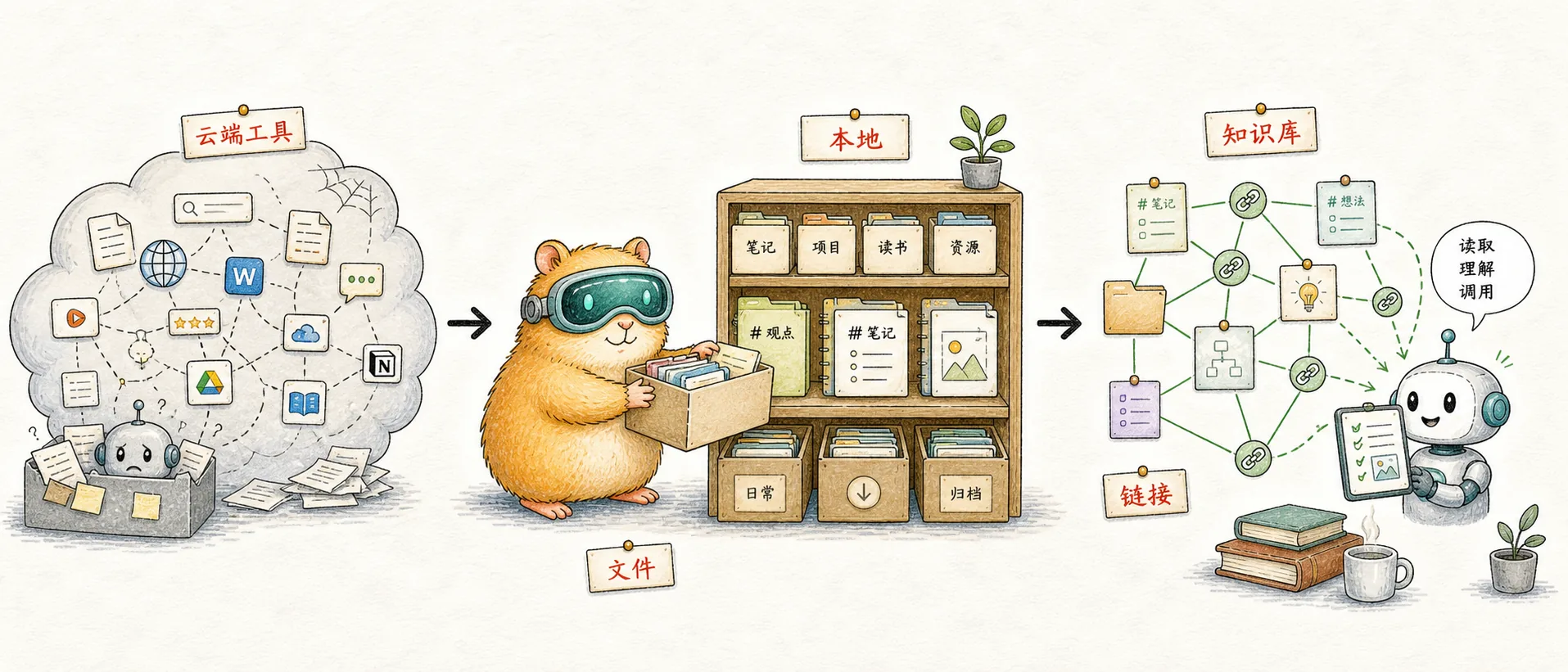
What the Second Brain Looks Like in the AI Era
wolai, which I'd used for years, hadn't shipped an update in half a year. Notion couldn't reach Claude. So I had Claude Code build me an Obsidian-based knowledge system from scratch. Half a month later one thing was clear: Notion is trying to be an OS, what I want is a filesystem. In 2026 they are no longer the same product.
In 2026, your notes decide how much of the AI's capability you can summon — they're no longer just memos for you to look at, they're the AI's long-term memory, the "context layer" between you and the model. The form of a note determines whether it can let Claude read, write, retrieve, and classify side by side with you, whether it can hold up under dozens of AI collaborations a day, whether it can keep accumulating across years and tools.
But most of the note products people use weren't designed for this era — either they can't keep up with the pace, or they lock your data inside a SaaS black box, or they start selling you their own standalone AI. So "what should the second brain in the AI era look like" is a question worth re-asking for every AI power user.
What follows is the answer I had Claude Code build for me from scratch half a month ago. First the result — here's what it looks like after running for two weeks:
00-Inbox/            Temporary landing for items waiting on triage
10-Projects/         PARA: active work in motion
20-Areas/            PARA: long-term areas of responsibility
30-Resources/        PARA: reference library
40-Atomic Notes/     Zettelkasten: knowledge cells (with RAG / Agent subdirectories)
50-Topic Maps/       LYT / MOC: cross-folder topic entries
60-Creation/         Creation pipeline: idea → outline → draft → ready → published
70-Logs/             Periodic Notes: daily / weekly / monthly
90-Archive/          Read-only
99-System/           CLAUDE.md / templates / glossary
The skeleton isn't complex, but a few non-obvious design choices are hidden inside it:
- Three methodologies stitched together: PARA manages time, LYT / MOC manages space, Zettelkasten manages atomic granularity — none of them conflict, only the three together are complete
- Minimal self-builds: 1 CLAUDE.md + 2 skills + 5 slash commands + 6 templates, the remaining 95% comes from community plugins
- Layered AI collaboration: AI writes the "knowledge layer" (facts, organization), the human writes the "judgment layer" (positions, counterexamples). Each atomic note's
evidence strengthfield is the contract for that split - State transition = mv a file: from a one-line idea to publishing on WeChat / Zhihu / Xiaohongshu, the whole pipeline is driven by moving files between five subdirectories under
60-Creation/ - Bottom-up emergence: the rules above weren't what Claude gave me on day one — the
#classification/namespace, theevidence strengthfield, the Auto Note Mover boundary all grew organically over half a month
As for why each piece took this shape, why wolai and Notion couldn't catch me, and what notes in the AI era should really look like — the story has to start with a mid-April night when I sat in front of the renewal button and stared.
Where the Story Starts: That April Night
One night in mid-April I opened wolai — the China-region Notion clone I'd used for years, where I had hundreds of thousands of words piled up — to jot down some thoughts of the day. The cursor blinked a few times on the empty page and, instead of typing, I instinctively scrolled the sidebar to the bottom and looked at the changelog:

It's not that it had died — "running continuously and safely for 2,148 days" is real. But the most recent update stopped in October 2025, six months ago at that point; going further back, after May 2024 there were only sporadic releases for over a year. The whole product had a "maintenance mode" smell to it.
I clicked through to my personal home page —
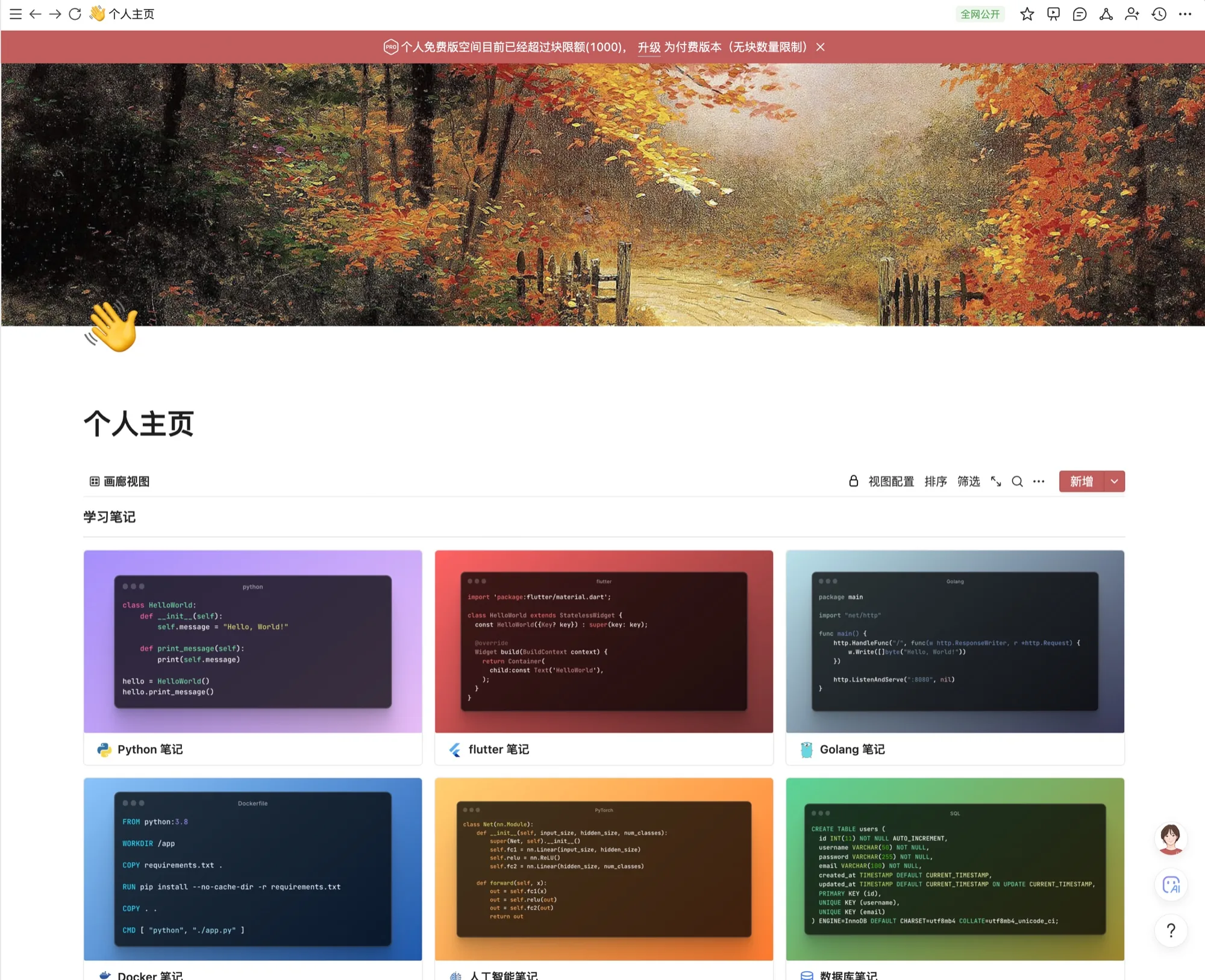
The red banner sat there: "your personal free workspace exceeds the block limit (1000)". My notes had blown past the free tier ceiling long ago, but what really hit me was that this page used to be 'public on the web' — half a year ago I could send the link to a friend, and now even the most basic feature of "share a public page" had been locked behind a paywall.
Updates getting slower, previously free core features being paywalled — two parallel "time to leave" signals.
I moved the mouse onto the renew button, then moved it off.
It wasn't a money question. But that night I wasn't quite ready to make a hard call either — I moved the mouse, closed the browser, took a shower and went to bed like any other night.
What really made me start seriously considering switching tools was something that gradually surfaced over the following week or two:
After moving into the AI era, I'm taking fewer notes than I used to.
In the past, when I hit a technical detail while coding, fell into a pit, or found a non-obvious workaround — I'd jot it down to give my future self a reference. A substantial part of those hundreds of thousands of words in wolai was accumulated this way.
But after switching to Claude Code, that kind of note stopped being produced — the AI has already solved the problem, and next time something similar comes up it'll solve it again, so I no longer need "notes to remember how to solve a bug". The character of what I was writing quietly shifted: from "operational, detail-heavy manuals" to systemic thinking, the reasons behind decisions, the one or two insights I worked out after finishing a paper.
That's when I realized — the character of the notes has changed, so shouldn't the container for the notes also be reconsidered?
I decided not to renew wolai when it expired and to find a note foundation that could hold for ten years. And this time, I'd let Claude do the work for me — I wasn't going to lay out a new system cell by cell again. Too tiring. And I already knew: AI does this kind of thing faster and better than I do.
That hesitation at the renew button, plus the realization that followed over the next week, pushed me onto an unexpected path — half a month of letting Claude Code build a new system from scratch, and a string of questions I had to think through.
Notion Couldn't Hold Me
After deciding to migrate away from wolai, the natural next stop was Notion. Same block-level editing, same multi-platform support, same wide reputation among Chinese developers. I registered a workspace and started moving.
The first wall came fast. 70% of my notes today are written by Claude — I have it systematically organize a topic for me, turn a video transcript into structured notes, compress a paper into a few atomic insights. That workflow demands that the AI can write into notes as naturally as it writes to a file. Notion has an MCP. I hooked it up full of hope.
Three layers of walls hit, one after another.
Layer one: slow and constantly re-authorizing.
Notion's MCP doesn't read or write files directly — it packages every operation into an API request, sends it to Notion's servers, and waits for a response. For Claude to write a slightly complex note, it splits it into dozens of block-append calls, each one a network round-trip — almost all of the note's writing time is spent waiting on the server. What makes it more impatient: it's not a one-time auth either, every few interactions an auth prompt like this pops up and I have to click through to continue:
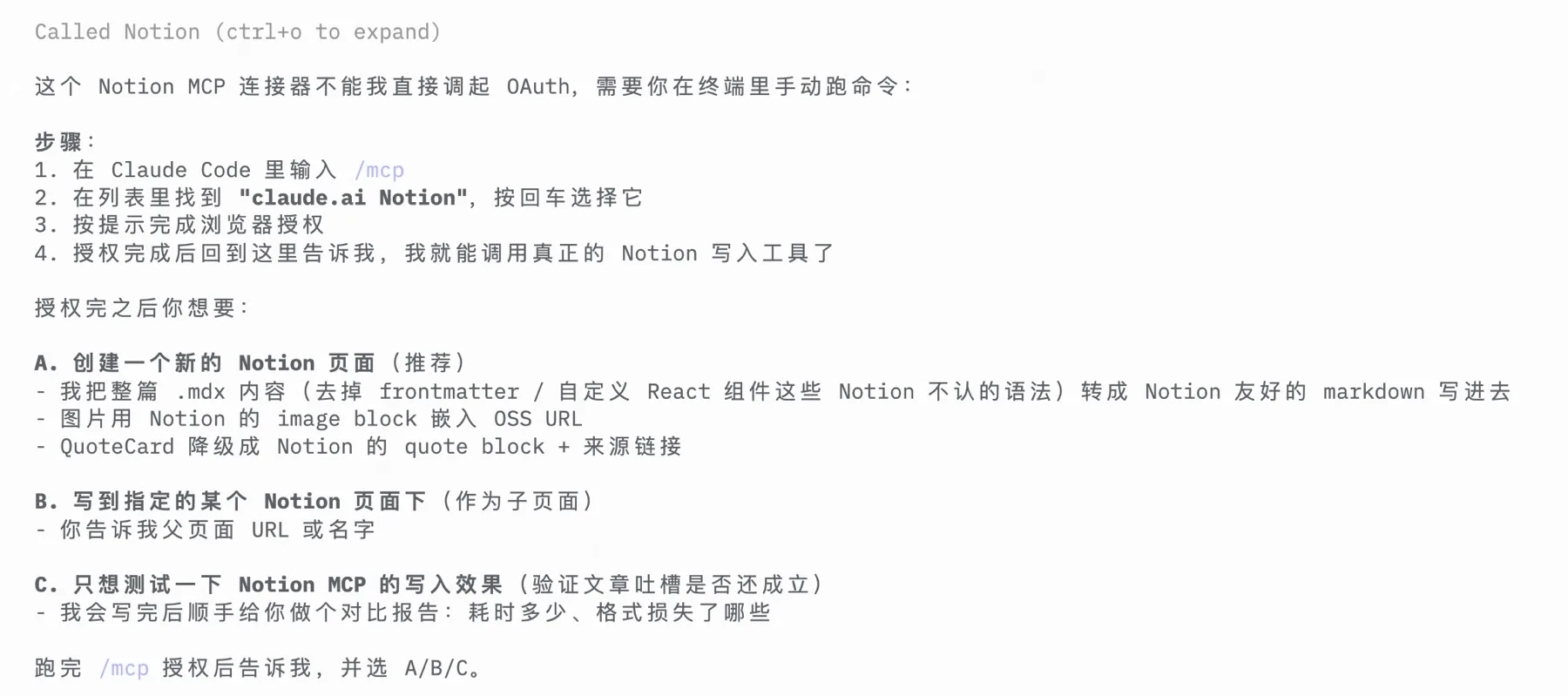
A single "have Claude organize this topic" task often gets sliced into 3–4 chunks, and I have to be at the screen for each one going "mhm, approve" — combined with how slow the API round-trips already are, the whole workflow is dragged into molasses. Obsidian has neither layer of friction: local files, Claude just Writes a .md file directly, local disk IO, millisecond-level, nobody in the middle nodding. I might have Claude touch a dozen files a day, and that gap is amplified to infinity.
Layer two: AI subscription island.
Notion's evolution over the last two years has been clearly AI-centric — wave after wave of built-in AI writing, Q&A, and agent capabilities. Open notion.com and you see it immediately:
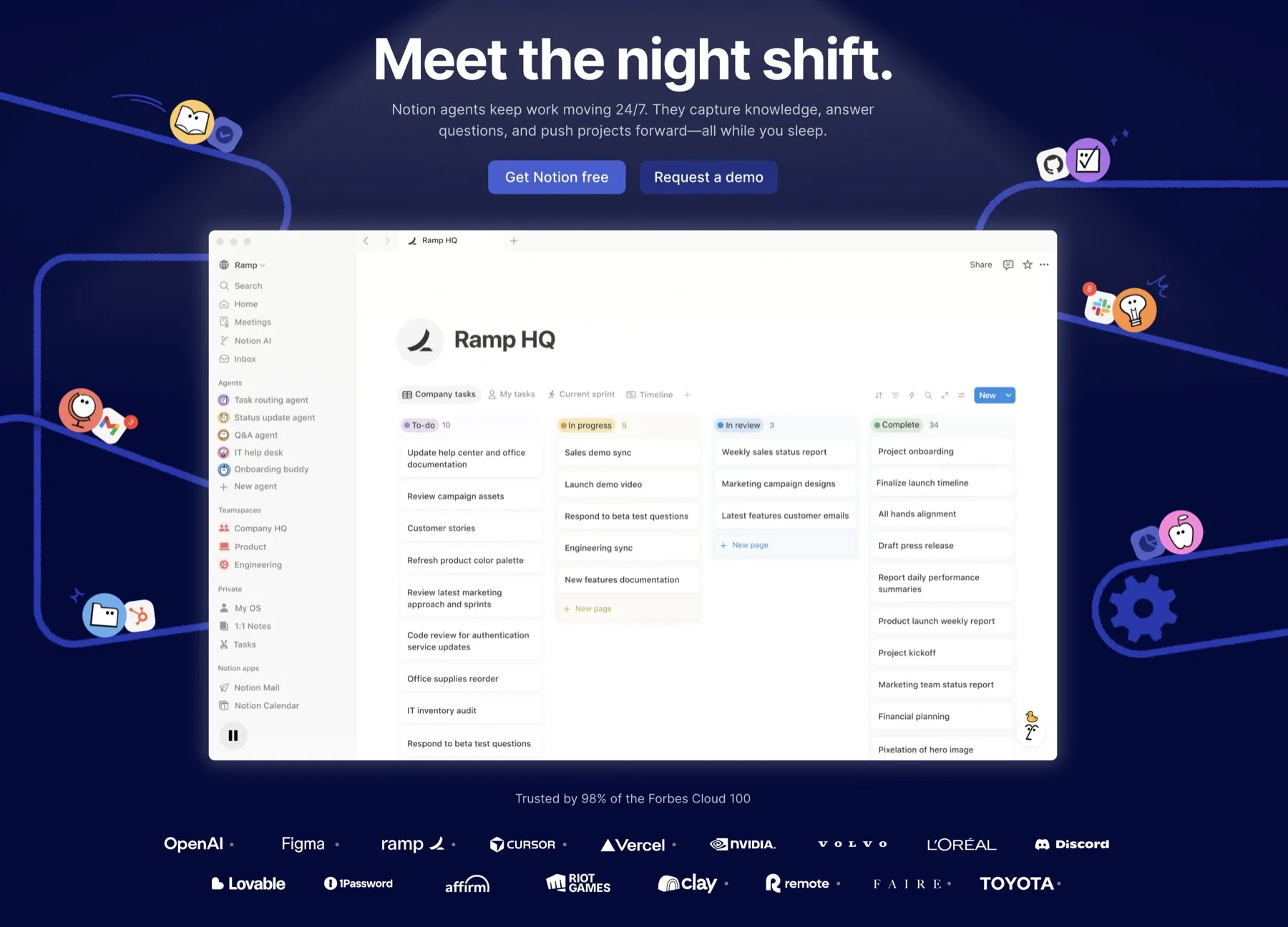
But all of that is redundant for me. My core AI subscription is already on Claude's side — the $200 Claude Code plan burns to the limit every day; the capability, context, and memory are all enough. What I want is to extend the Claude capability I already have into my notes, not to pay extra for some note app's separate AI and adapt to yet another agent style. The workflow should be under my control, not bent into some SaaS's AI ecosystem.
Layer three: block-level editing is dated.
Notion's prized "block-level editing" — drag, embed, two-way databases, every paragraph as a re-arrangeable Lego brick — was a leading paradigm in the "human-writes, human-reads" era. But now that the notes are mostly AI-written, me-read, plus AI retrieving them again later, blocks have become handcuffs. Concretely: Notion's internal format is block JSON, the markdown-to-block conversion is incomplete, nested lists, callouts, and code-block language tags all distort after landing — AI writes awkwardly, I read painfully, and search becomes opaque.
But what really made me decide to close it was the bigger thing behind that hero image — Notion itself is no longer the "second brain" it used to be. It's evolving into an enterprise AI work platform, which may be fine for Forbes Cloud 100 customers, but it's drifted too far from my goal:
Notion is trying to be an OS. What I want is a filesystem. In 2026, they are no longer the same product.
Obsidian — Which I'd Snubbed for Two Years
I had actually installed Obsidian a long time ago. Two years ago. The icon had been sitting on my Dock the whole time:
But I'd never really opened it — my excuse was that it wasn't "block-level enough"; files were just one markdown after another, too "primitive".
Until this moment, when I realized: every reason I'd snubbed it was precisely what made it a fit for the AI era.
The best file format for the future is the one you can read without the app that created it.
kepano is the CEO of Obsidian. In File over app he makes a point that's nearly disarming in its simplicity: software dies, files don't. Notion might die, Obsidian might die, but a pile of .md files on your disk won't be locked away by any app's death. The notes that truly survive across the AI era aren't some SaaS's internal structure — they're plain text + a folder structure you control.
This is the root cause of my retreat from wolai and Notion — data sovereignty.
But that said, Obsidian alone isn't enough. Obsidian is an empty markdown editor; it doesn't tell you "how knowledge should be organized." So I made the decision I've since been grateful for — outsource the "how to organize" question to Claude entirely.
One Sentence of Requirements, One Plan
I opened Claude Code and typed a paragraph — later this paragraph was carried verbatim into the Context section of the build plan:
I'm now going to set up my own Obsidian system. Take a look at related projects and so on. See if there's anything relevant on GitHub. I want a system in place so I can use AI well to manage my whole setup.
I didn't say what the folder structure should look like, didn't say which plugins, didn't say which methodology. I only said three things: I want a system, ideally don't build from scratch, ideally let AI participate smoothly.
A few hours later Claude gave me a plan document. I read it and approved. Its core was five principles, simple enough that I keep quoting them:
- If a plugin can do it, don't write code — daily notes, templates, backlinks, clippings, auto-classification, mature community plugins exist for all of these; install them
- If you can clone it, don't build from scratch — use kepano/kepano-obsidian (the Obsidian CEO's public personal vault) as a reference skeleton
- MCP rather than self-written Skill — use the off-the-shelf
MarkusPfundstein/mcp-obsidianto connect Claude Code; don't reinvent basic "read/write notes" capabilities - Reuse the existing yux-* skill chain — I already have polishing + multi-platform publishing skill chains (WeChat / Zhihu / Xiaohongshu); the new system only handles "idea → draft," handing off the back half directly
- Self-build only where ready-made solutions can't handle the semantic judgment and glue — the CLAUDE.md spec, the AI-triggered triage prompt, the connective glue
In the end, the self-build workload was compressed to: 1 CLAUDE.md + 2 skills + 5 slash commands + 6 Templater templates. 60% less than my own initial draft.
My first reaction reading the plan was — "this AI is more restrained than me."
Most people fail at building a vault not because they don't try hard enough, but because they want to write every rule themselves. Three months later they're looking at the pile of hooks and skills they wrote, no longer able to maintain it, and once the novelty wears off the whole system gets abandoned. Claude told me upfront: outsource 95% of the capability to the ecosystem, only self-build the 5% that only AI can solve — semantic-layer judgment. That alone was one of the biggest takeaways of this experiment.
What Claude Built
The core deliverable Claude gave me was a CLAUDE.md at the vault root — that file is the "constitution" of the whole system. It defines the vault's language, methodology, dual-scenario boundaries, AI roles, hard folder rules, frontmatter, tag namespaces… every time I open a new Claude Code session, it can take over the entire vault collaboration after reading just this file. The opening looks like this:
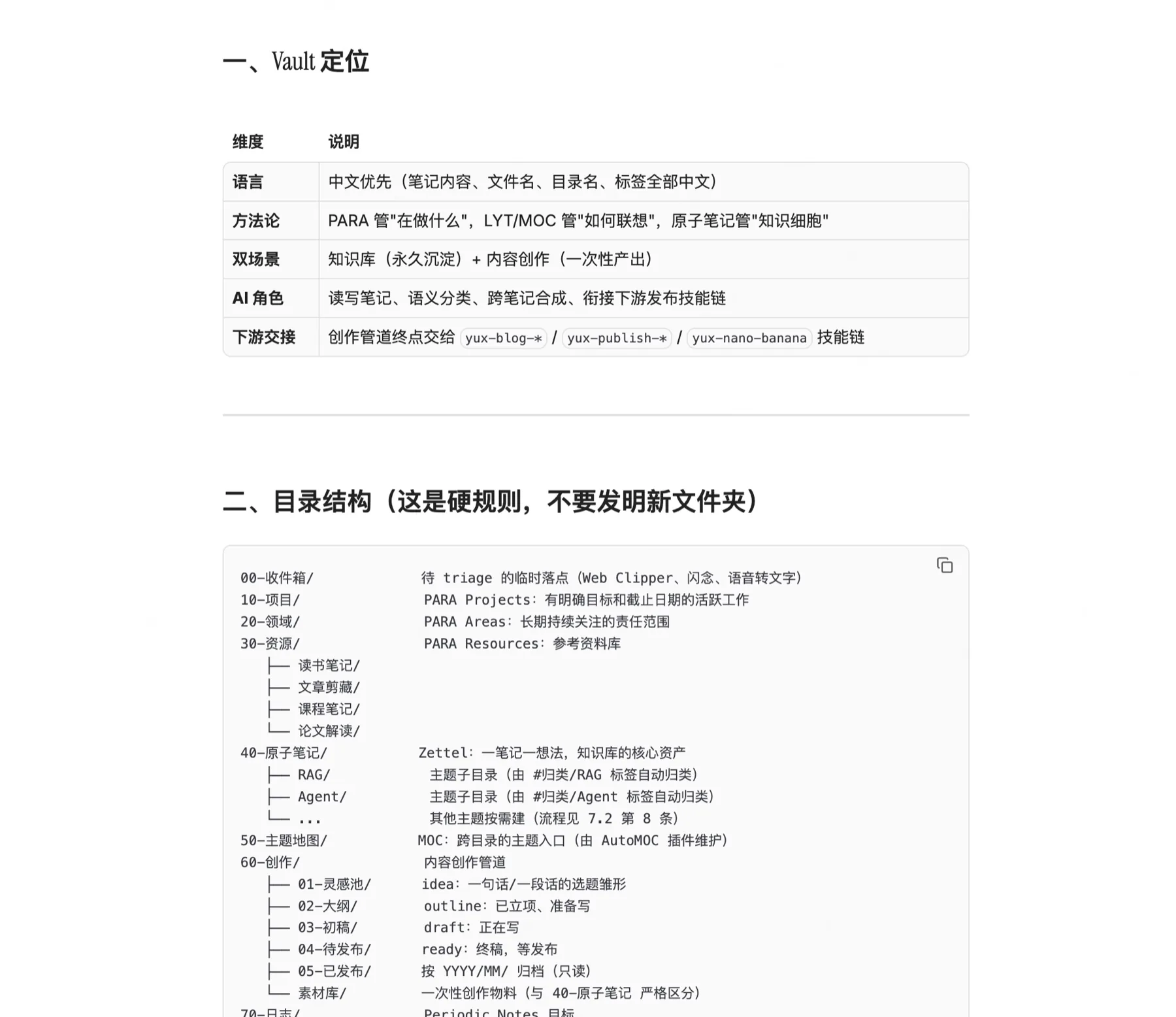
You've already seen the skeleton at the top of this post. I'm not going to paste it again — what I want to talk about isn't the directory itself, but how the three methodologies behind it interlock, and the two boundaries that determine whether the system works.
Behind the skeleton is a mix of three methodologies — each managing one dimension:
| Methodology | Origin | Reflected in the vault as | Solves |
|---|---|---|---|
| PARA | Tiago Forte, Building a Second Brain | 10/20/30/90 top-level | "What am I doing right now" — the time dimension |
| LYT / MOC | Nick Milo, Linking Your Thinking | 50-Topic Maps/ | "How thoughts cross-pollinate" — the spatial dimension |
| Zettelkasten | Sönke Ahrens, How to Take Smart Notes | 40-Atomic Notes/ | "Knowledge cells" — atomic granularity |
PARA handles "how my actionable items are sliced by state," LYT handles "how ideas summon each other," Zettelkasten handles "how each insight stands as its own block." None of them conflicts; only stacked together do they form a complete whole — most people learn just one and the system always feels short.
So that you don't only "take my word for it," I pulled the sharpest line from each of the three authors —
Tiago Forte's PARA, on "why not classify by subject," makes this core call:
Instead of organizing information according to broad subjects like in school, I advise you to organize it according to the projects and goals you are committed to right now.
That's why 10-Projects / 20-Areas / 30-Resources / 90-Archive is my top level — they are action states, not topics. "AI / writing / product" subject classification is only a secondary #topic/ tag.
Sönke Ahrens, in How to Take Smart Notes on Zettelkasten, the most-quoted line is:
A note is only as valuable as the network it's embedded in.
A note is worth as much as the network it sits inside.
An atomic note by itself is meaningless; its value comes from the density of its links to others. That's why in 40-Atomic Notes/ I encourage dense backlinks — every link added increases the asset value of the entire vault.
Nick Milo's LYT then lands the above point in a more engineering-oriented way — he rejects hard-coded "perfect classifications" and advocates the MOC (Map of Content) as a living table of contents, letting structure grow out of use. That's exactly the underlying logic of 50-Topic Maps/: an MOC isn't a replacement for folders, it lets you enter a topic and immediately see all the scattered notes attached to it — looser than a folder, more structured than a tag.
What really decides whether this system works or doesn't are two boundaries you cannot blur:
Boundary one: 40-Atomic Notes/ ≠ 60-Creation/material library/. The former is a permanent knowledge asset — one atomic note = one independent thought or insight that can be referenced from anywhere, expected to be backlinked repeatedly. The latter is one-off material — a quote, a case, a snippet used by a specific WeChat article, with a lifecycle equal to that article. Blur this boundary and the knowledge base will eventually be drowned by one-off content.
Boundary two: knowledge base ≠ creation. 10/20/30/40/50/70 are the knowledge layer; 60-Creation/ is the creation layer. The two are connected via single-directional embedding — an article can reference an atomic note with ![[atomic note#section]], but the atomic note does not link back to the article. That one-way valve protects the purity of the knowledge layer — whether a blog post hits big or not, the atomic note behind it stays stable.
Tags are strictly split into four namespaces:
#type/atomic— structural type, AI auto-applies based on frontmatter fields#topic/ai— subject classification, applied by hand#status/to-read— transient status, deleted once used#classification/RAG— sub-folder classification (only used in40-Atomic Notes/), AI auto-applies by topic
That last #classification/ namespace did not exist on day one — it appeared two weeks in, when I noticed there were enough atomic notes to need subfolders, but I didn't want Auto Note Mover to rewrite the whole classification logic, so I opened a dedicated namespace just for "atomic notes' secondary classification."
I'll pick this detail back up later — it was the most surprising piece of experience to come out of this experiment.
How I Use It Day-to-Day
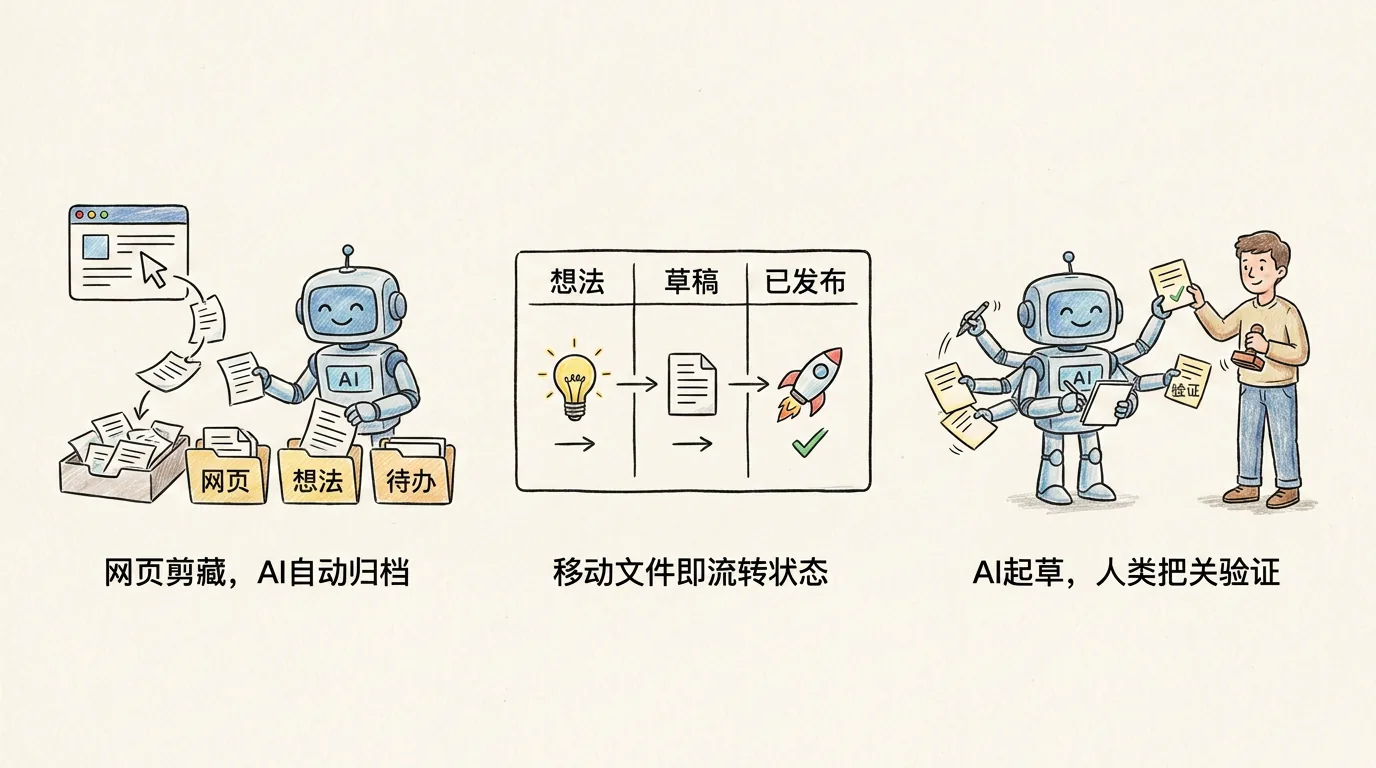
One-click filing from the browser
This flow is now muscle memory. Chrome has the official Obsidian Web Clipper; when I see a good article I hit the button — last week I did this with Anthropic's Building effective agents — the full body + source URL + my highlights land in 00-Inbox/ along with auto-filled frontmatter.
Back in the terminal I run /inbox:
$ claude
> /inbox
Claude reads the article and tells me: "This is Anthropic's official summary of agent design patterns, structural and not personal opinion — typed as 'article clip', recommend filing under 30-Resources/article clips/. Want me to spin off 3–5 atomic notes into 40-Atomic Notes/Agent/ at the same time?"
I say "file it under clippings, I'll cut the atomic notes after reading it myself" — it mvs the file, adds the type: article clip frontmatter, drops the #type/article-clip #topic/ai tags, 30 seconds total. The whole process was two actions on my side: hit the Clipper button, type one sentence.
This flow was still manual half a month ago — download → rename → decide which folder → write frontmatter — at least 5 minutes per piece, and the ones I couldn't classify sat for a week. Now I can clear an inbox of ten in 5 minutes.
From a one-liner to a finished article
This is the longest pipeline in my whole system. From a single idea to publishing across three platforms (WeChat / Zhihu / Xiaohongshu), everything is driven by file moves:
/idea Why Claude Code Skills are more flexible than MCP
   ↓ 60-Creation/01-Idea Pool/20260502-...md (Templater writes the frontmatter)
/draft <idea file>
   ↓ Claude pulls related atoms from 40-Atomic Notes/, pulls historical material
   ↓ from the material library, organizes the outline + first draft
   ↓ Lands in 60-Creation/03-First Drafts/
/publish
   ↓ yux-blog-writer polishes → yux-publish-* publishes across platforms
   ↓ The file is mv'd into 05-Published/2026/05/, frontmatter is written back with platform URLs
There's one design choice in this pipeline I love: state transition is just an mv. Whichever directory a file is in is its state. The Kanban plugin generates a five-column board directly from the five subdirectories of 60-Creation/, zero code — drag a card and the file gets moved. Simple to the point of barely feeling like a workflow.
AI writes, I just read
This is the scenario that truly switches from wolai's "human writes, human reads" mode to the AI era's "AI writes, human reads" mode.
I tell Claude to systematically organize a topic — say, RAG. It writes directly into 40-Atomic Notes/RAG/, each note a stand-alone atomic note with #type/atomic #classification/RAG #topic/ai tags and correct frontmatter. When done it tells me: "I wrote 12 in this batch; please read them when you have time. I've marked the evidence strength as 'pending verification' for all of them; once you've gone through them, change them to 'verified'."
What I do is: read, judge, change 'pending verification' to 'verified' or 'speculation'. A meaningful portion of my hundreds of thousands of wolai words was this kind of organizing work — it should have been AI's job all along. I dare to hand 70% of the writing to AI now because my role has changed.
Consistent across sessions
The moment that made the system feel truly "alive" was a brand-new Claude Code session — without any priming, I dropped a paragraph in: "stick this somewhere it belongs."
It read CLAUDE.md, analyzed the semantics of my paragraph, and asked me: "This doesn't look like an atomic note (the conclusion isn't independent enough), more like creation material — which article are you preparing it for?"
It was using my own rules to question me.
That was a day-one byproduct I didn't expect — when you write the rules clearly enough, the AI, while executing them, forces you to clarify what you're actually doing.
What I Only Understood Half a Month In
The easiest trap when building a knowledge system in the AI era is letting AI design a "perfect classification" for you, and then failing to keep up with the preset.
On day one, Claude's directory structure was as tidy as a textbook answer. But what actually still works on day fifteen is that tidy answer plus a series of patches that "only show up once you use it" — for example:
- More and more atomic notes piling up, root directory getting chaotic → add
#classification/namespace and topic subfolders - AI-written notes and my own thought notes mixed together, indistinguishable → add an
evidence strengthfrontmatter field as a layering signal
These rules weren't pre-emptively designed by Claude on day one; they grew over half a month, after stepping into a few pits.
If my day-one plan had been a straight copy of kepano's, that #classification/ would never have appeared — because that wasn't kepano's need. The system that actually works is used into existence, not thought into existence.
Rethinking Notes in the AI Era
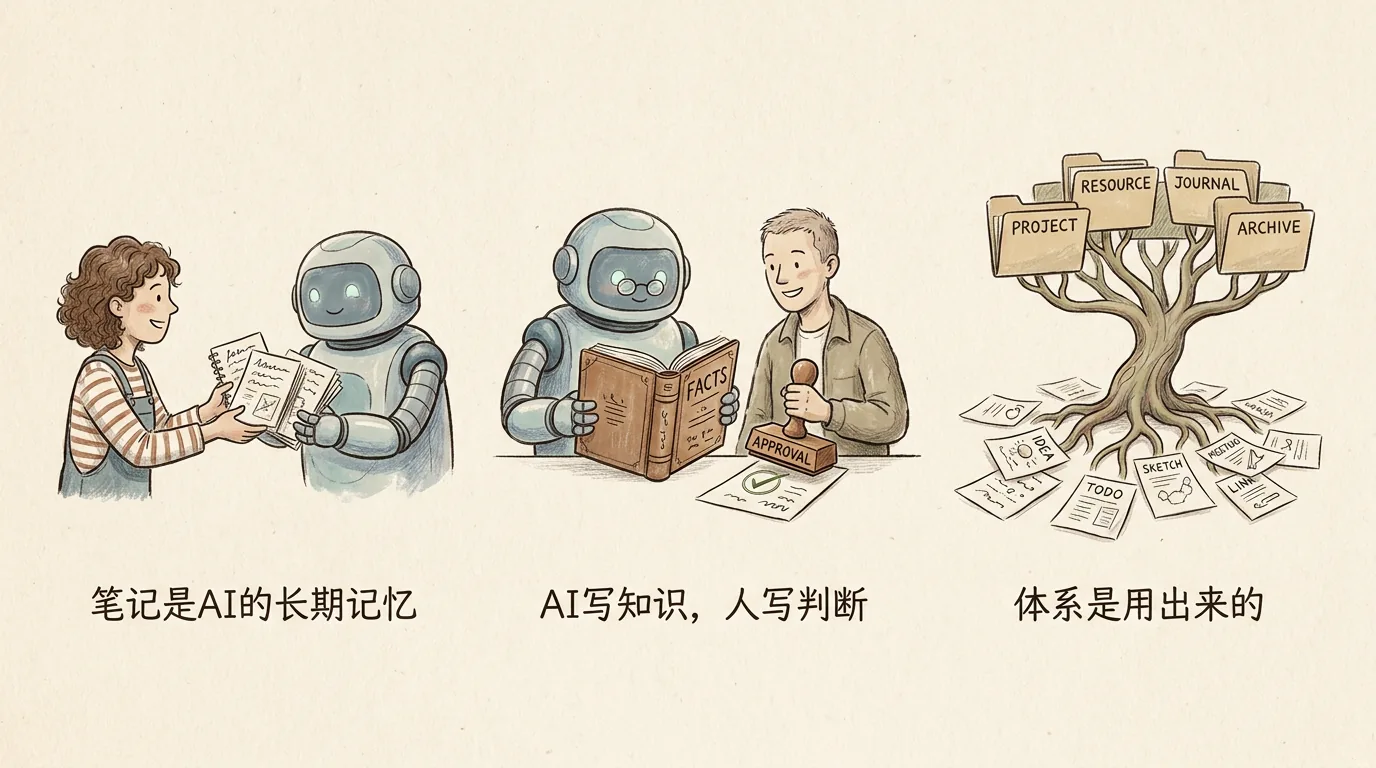
Here's what I can call out as judgment — as simply as I can:
One: the audience of notes used to be me, now it's AI.
Notes used to be written for future-me to read — the more I recorded and the prettier I organized, the better. But now most of the time it's AI writing, AI reading, AI finding. The real audience of notes has changed: they are now the "long-term memory" the AI calls on at your side, and you only happen to read them.
That alone decides the criteria for choosing a note tool. The real reason I left wolai and Notion isn't that they stopped updating or got slow — it's that their content isn't usable by AI — a SaaS black box doesn't let AI call notes right next to you, no matter how pretty the notebook is. So my first question when evaluating a note tool today is "can my content be read and written naturally by AI". If yes, use it. If not, drop it.
Two: AI writes knowledge, the human writes judgment.
Facts, organization, and technical principles — AI writes them faster and more accurately than I do; making me handwrite that wastes both our time. But positions, evaluations, and counterexamples must come from me. Not because AI can't write them, but because once you outsource that too, you'll slowly lose confidence in your own judgment. A high-ranked HN article from this March put it harshest:
The risk isn't that AI replaces our thinking. It's that we lose confidence in our own judgments — even in domains where AI cannot meaningfully contribute.
My countermeasure is to stamp each note with "pending verification / verified / speculation" — anything AI writes is "pending verification" by default, and after I read it I change it to "verified" or "speculation". The hand pressing that key has to be mine.
Three: the system is used into existence, not thought into existence.
The previous section already covered this — don't let AI hand you a perfect directory on day one. Two weeks of running it will surface rules only you need.
This Is Just the Beginning
This system has only been running for half a month — nowhere near finished. But it's enough to use, and enough to write this article from.
If you want to build your own — don't copy my folder structure, copy the method. Drop this post into Claude Code and tell it:
Use this article's system as a reference and build one for me.
Don't copy the folders directly; ask me 10 questions first, like:

  - How much new content do I consume each day? Video, papers, blogs?
  - Do I write or publish anywhere? Where do I publish to?
  - What role do I want AI to play inside my notes —
    read-only, organizing, or actually writing for me?
  - Which notes serve only once as material, and which are
    long-term assets worth accumulating?
  - Where are my old notes? Do I migrate them all, or digest them slowly?
  - … the rest is up to you to ask.

Save my answers to the Context section of CLAUDE.md, then propose the plan.
It will give you a system different from mine but yours.
As for those hundreds of thousands of words in wolai, I didn't migrate everything — I'm letting the AI digest them slowly. That's stage two of the system. The day you see a post here called "I let AI finish reading my hundreds of thousands of words of old notes," the system will have grown up.
That moment, it won't only be an Obsidian vault — it will be a second brain that truly belongs to me, one that can last a decade.
Further Reading
If you want to dig into the methodologies and tools cited in this article, here they are in order of importance:
- File over app — kepano's short essay nailing "why data should be files," 5 minutes to read and a decade of payoff
- How I use Obsidian — what kepano's own vault looks like, a canonical sample of bottom-up note-taking
- The PARA Method + Introducing The AI Second Brain — Forte's PARA original + the AI-era extension
- How to Take Smart Notes (Ahrens) + Linking Your Thinking (Milo) — the methodology classics for Zettelkasten and LYT
- AI-Augmented Zettelkasten forum thread — the leading dissent against "letting AI write cards directly"
- MarkusPfundstein/mcp-obsidian — the MCP server that lets Claude Code read and write the entire vault naturally
Related Posts
One-Click WeChat Publishing with Claude Skills
Step-by-step guide to auto-publishing Markdown to WeChat Official Account using the baoyu-post-to-wechat Skill, covering installation, configuration, and the full workflow
From Eclipse to Zed: A Developer's Editor Evolution
From backend to full-stack development, from VS Code with 200+ plugins to a terminal-first workflow — how my editor choices evolved with the AI era
My Claude Code Best Practices
Sharing my experience with Claude Code — 10 core tips, slash command guide, and custom command configuration to boost your AI programming efficiency