
I Built a Raycast Extension to Monitor Claude Code
From scratch to shipped in one evening: how I built Claude Code Monitor, a Raycast extension for session tracking, usage analytics, and extension management.
Just another ordinary afternoon.
I had 5 Claude Code sessions running simultaneously in my terminal — one tweaking a blog, one writing backend APIs, one reviewing code, and two others I'd completely lost track of. I kept switching between them, unable to tell which one was waiting for my input, which was still working, and which had already finished.
"If only there were a place where I could see all session statuses at a glance."
I looked around. There are a few tools out there for monitoring Claude Code, but none fully met my expectations. I didn't just want to check session statuses — I needed a unified place to manage everything about Claude Code: sessions, Skills, MCP servers, plugins. And no matter which terminal or editor a session was opened from, I wanted to jump back to it with a single click.
Since I couldn't find one, I'd build it myself.
The AI Era: Build What You Want
The biggest shift I've felt over the past two years is that AI has completely closed the gap between "wanting a tool" and "having a tool."
Before, if you had an idea, you'd either wait for someone else to build it or spend months learning a new framework to build it yourself. Most ideas ended up the same way — "forget it, I'll just make do."
Now it's different. You just need to describe your requirements clearly, and Claude Code handles the rest.
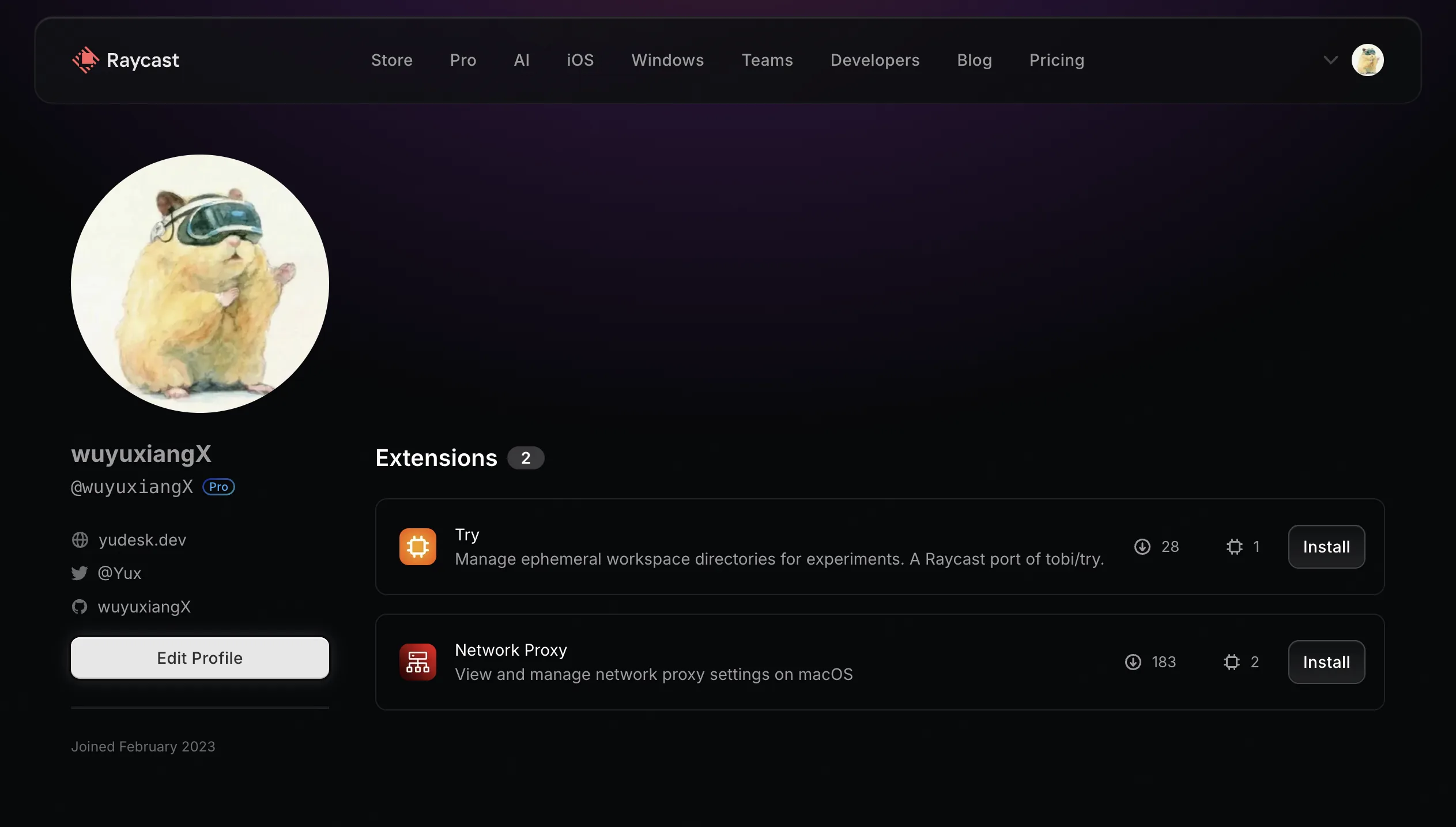
I'd already built two Raycast extensions with AI, so when this new need popped up, I naturally started working on it — from the first line of code to a fully functional tool, it took just one evening.
If you're not familiar with Raycast, check out my earlier post Raycast: My Favorite Mac App. In short, it's the productivity hub of macOS — I do almost all my high-frequency tasks through it. So when I wanted to build a monitoring tool for Claude Code, Raycast was the natural choice. It supports a persistent menu bar icon, keyboard-first interactions, and native macOS performance — perfect for a quick-glance use case.
In the AI era, you don't need to wait for someone else to build it — you are that someone.
Pain Points: Why I Needed This Tool
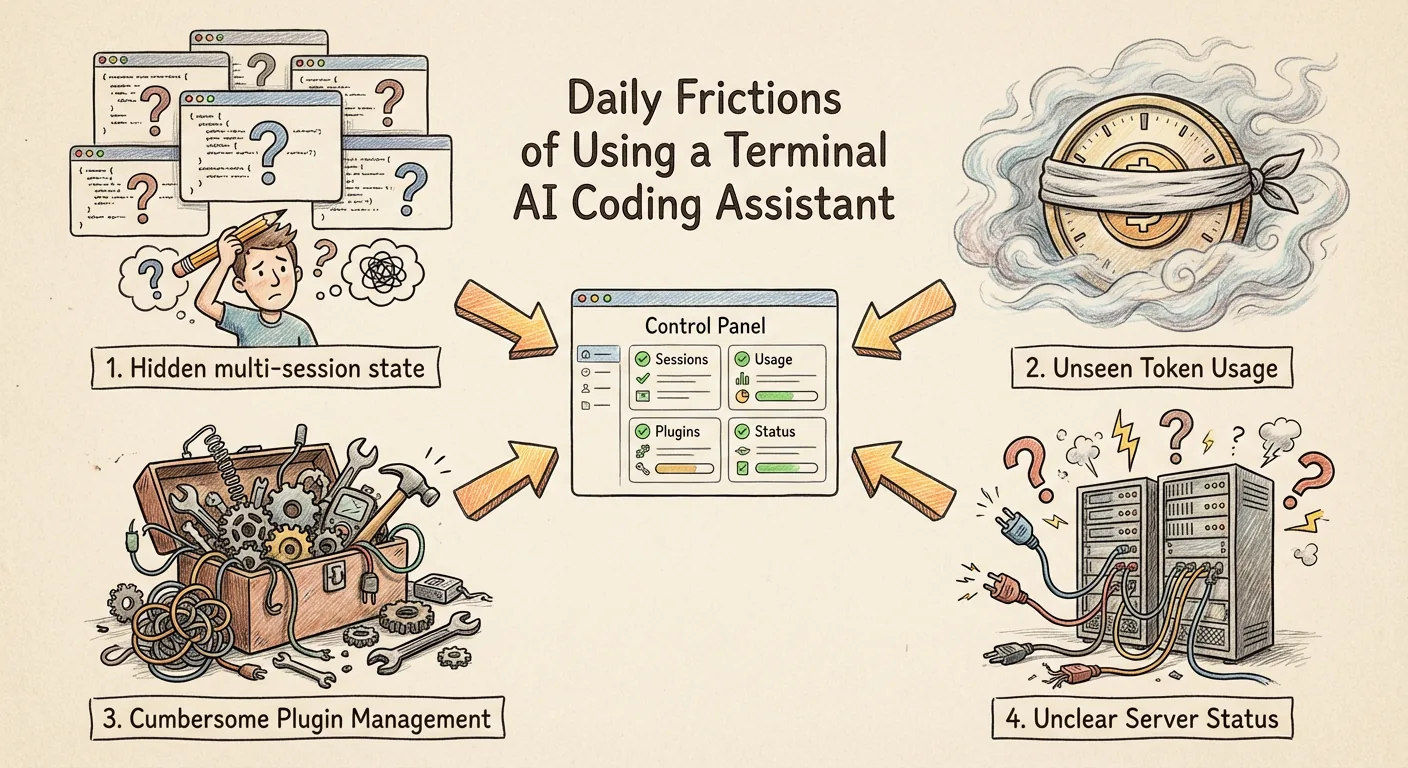
The more I used Claude Code, the more small friction points accumulated. None of them were deal-breakers on their own, but combined, they drained attention every single day.
Multi-Session Status Is Invisible — And Switching Back Is Worse
This was the most immediate pain point. Claude Code runs in the terminal — one window per session. Having several projects open at once is normal: the blog is getting a style tweak, a plugin is gaining a new feature, a utility library has a bug fix. But you can't tell which session is waiting for input, which is still executing, and which has already ended.
What's even more annoying is switching back. The blog session is in Zed, the plugin project is running in Warp, and there's another utility session somewhere in the background. Want to switch back? First you have to remember which project is in which window, then dig through a pile of terminals to find it. What I needed was simple: no matter where a session was opened, I should be able to jump back to it with a single click.
No Token Usage Awareness
I use Claude Code to write code every day, and tokens are constantly being consumed. The CLI does have a /cost command, but for subscription users it just says "using subscription quota" without showing actual numbers. Which project uses the most? How does today's usage compare to yesterday's? What's the consumption breakdown across different models? No answers at all.
Plugin Updates and Management Are Painful
Claude Code's plugin ecosystem is growing rapidly, and I had over a dozen plugins installed. But managing them was primitive — to see which plugins are installed, what version they're on, or if there are updates, you have to dig through config files. Enabling, disabling, updating, uninstalling — every step requires command-line operations.
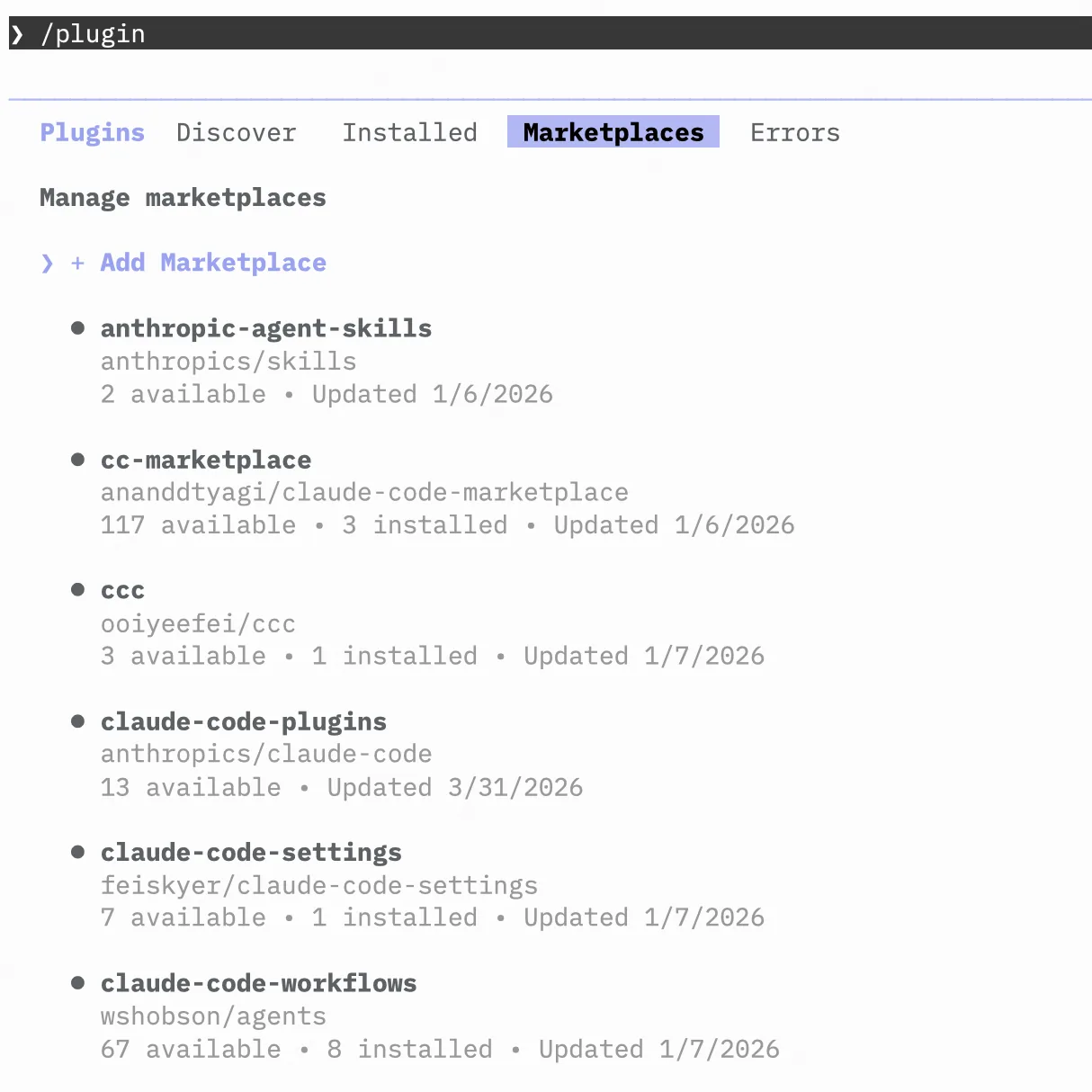
The upgrade experience is even more maddening. You finally upgrade a plugin, only to find it reverted to the old version the next time Claude Code starts. The CLI tells you "upgrade successful," but you have no way to confirm it actually worked — no version comparison, no changelog, no single place to see the actual versions of all your plugins. Once you have more than a few, management becomes pure guesswork.
Skills and MCP Server Status Is Unclear
After installing Skills, how do you confirm they're actually active? Is it user-level or project-level? Which plugin installed it? MCP servers are even worse — you've configured five or six, but you don't know which ones are connected, which need re-authentication, and which simply can't connect. This information is scattered across different config files with no unified view.
At the end of the day, what I needed was a control panel — a single view of all session statuses, usage distribution, and extension health.
The Development Process
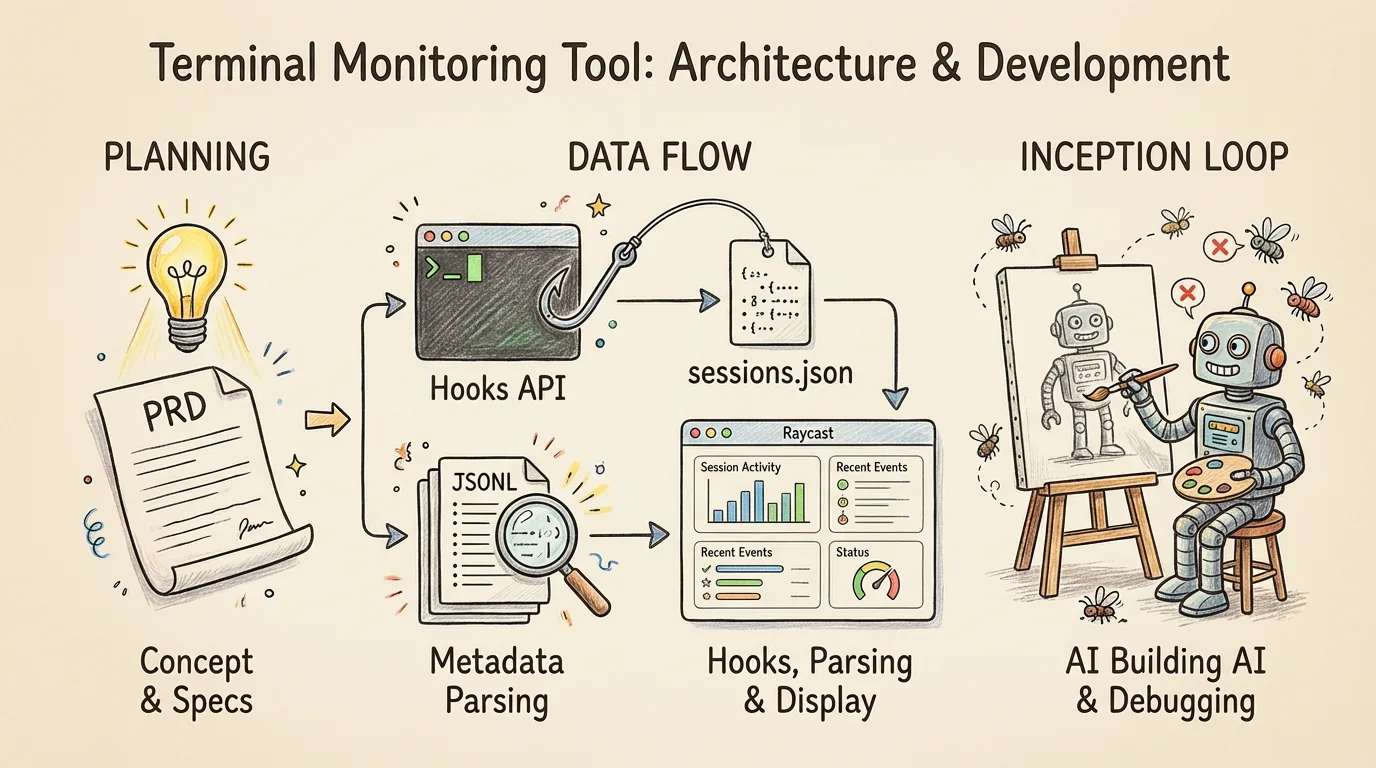
Step 1: Write a PRD — Get the Requirements Right
When building with AI, the most important step isn't writing code — it's getting the requirements right.
I first had Claude Code help me write a PRD (Product Requirements Document), listing out every feature I wanted: real-time session monitoring, persistent menu bar status, usage analytics dashboard, extension management (Plugins + Skills + MCP Servers), one-click jump and resume. Each feature's expected interaction, data source, and display format were all spelled out in the PRD.
Once the PRD was done, implementation was just a matter of working through it module by module. Claude Code barely needed any additional context from me.
Step 2: Research Existing Solutions
After finalizing the PRD, I had Claude Code survey the landscape: what open-source tools already exist for monitoring Claude Code? How are they implemented?
The research showed that most existing solutions share a core approach: reading JSONL files. Claude Code writes session records in real time to .jsonl files under the ~/.claude/projects/ directory, including token counts, model used, timestamps, and more for each conversation turn. Parsing these files lets you reconstruct detailed session data.
JSONL data is rich, but it's better suited for statistical analysis — cumulative tokens, model distribution, project comparisons. For real-time session state tracking (who's waiting for input, who's executing), you need another data source.
That's where the Claude Code Hooks API comes in. Hooks is Claude Code's official lifecycle event mechanism. You can register scripts to run automatically on events like SessionStart, UserPromptSubmit, PreToolUse, Stop, SessionEnd, and Notification. I'd already used Hooks with Claude Code before, so I knew it could handle event-driven state tracking.
The approach was clear — Hooks for real-time state, JSONL for rich metadata. The two data sources complement each other to form a complete monitoring solution.
As for why Raycast instead of a web dashboard or VS Code extension? Simple: Raycast is already my productivity hub. It supports a persistent menu bar icon, so I can glance at status without opening any windows. Keyboard operations flow seamlessly without interrupting my workflow. Plus, Raycast extensions are built with React + TypeScript, which I'm very comfortable with.
Step 3: Ship It in One Evening
With the PRD and technical approach in hand, I handed the rest to Claude Code. The system's data flow has two pipelines:
Claude Code Lifecycle Events
        |
        v
    hook.sh (Bash + embedded Python)
        |
        |-- Atomic file lock (mkdir)
        |-- Event -> State mapping
        |-- Async AI label generation (Haiku)
        +-- Expired session cleanup
        |
        v
    sessions.json (real-time state)
        |
        +----------+
                   v
        Raycast Extension
          useSessions Hook
                   ^
        +----------+
        |
    ~/.claude/projects/**/*.jsonl
        |
        +-- Chunk-based regex parsing
            (256KB fixed memory)
In short: Hooks capture real-time events and write to sessions.json, JSONL parsing provides token and model metadata, and the Raycast extension merges both for display. The technical details — atomic file locks, chunk-based regex parsing, AI label generation, disk caching — were all Claude Code's own decisions. I just had to verify that everything worked.
The really interesting part was debugging. Using the tool I'd just built to monitor Claude Code, then continuously finding and fixing issues:
- Subagents flooding the panel: Right after launching, the session list was suddenly flooded with unrecognized sessions. After a lot of digging, I figured out that Claude Code's subagent launches were also triggering hooks — a single main session spawning dozens of subagents blew up the panel. Added filtering to fix it.
- False MCP failures: Several MCPs on the Extensions page showed "Unreachable," but they were actually working fine. Turns out stdio-mode MCPs shouldn't get HTTP health checks.
- Worktree detection failures: Initially couldn't detect worktree sessions at all. Added a regex to match
.claude/worktrees/paths and it was sorted. - Fake plugin updates: While building extension management, I discovered a bug in Claude Code itself — when updating plugins, the CLI doesn't fetch the latest version from the remote repository. It compares against local cache, so it always shows "already up to date." I added a step in the extension to manually
git pullthe marketplace repo before updating, making plugin updates actually work.
It was a loop of "use it -> find a problem -> have Claude Code fix it -> keep using it." I used Claude Code to build a tool that monitors Claude Code, then used that tool to monitor the Claude Code that was building the tool. Inception, basically.
Step 4: Making the Icon
The only part of the entire development process that required manual work was making the icon.
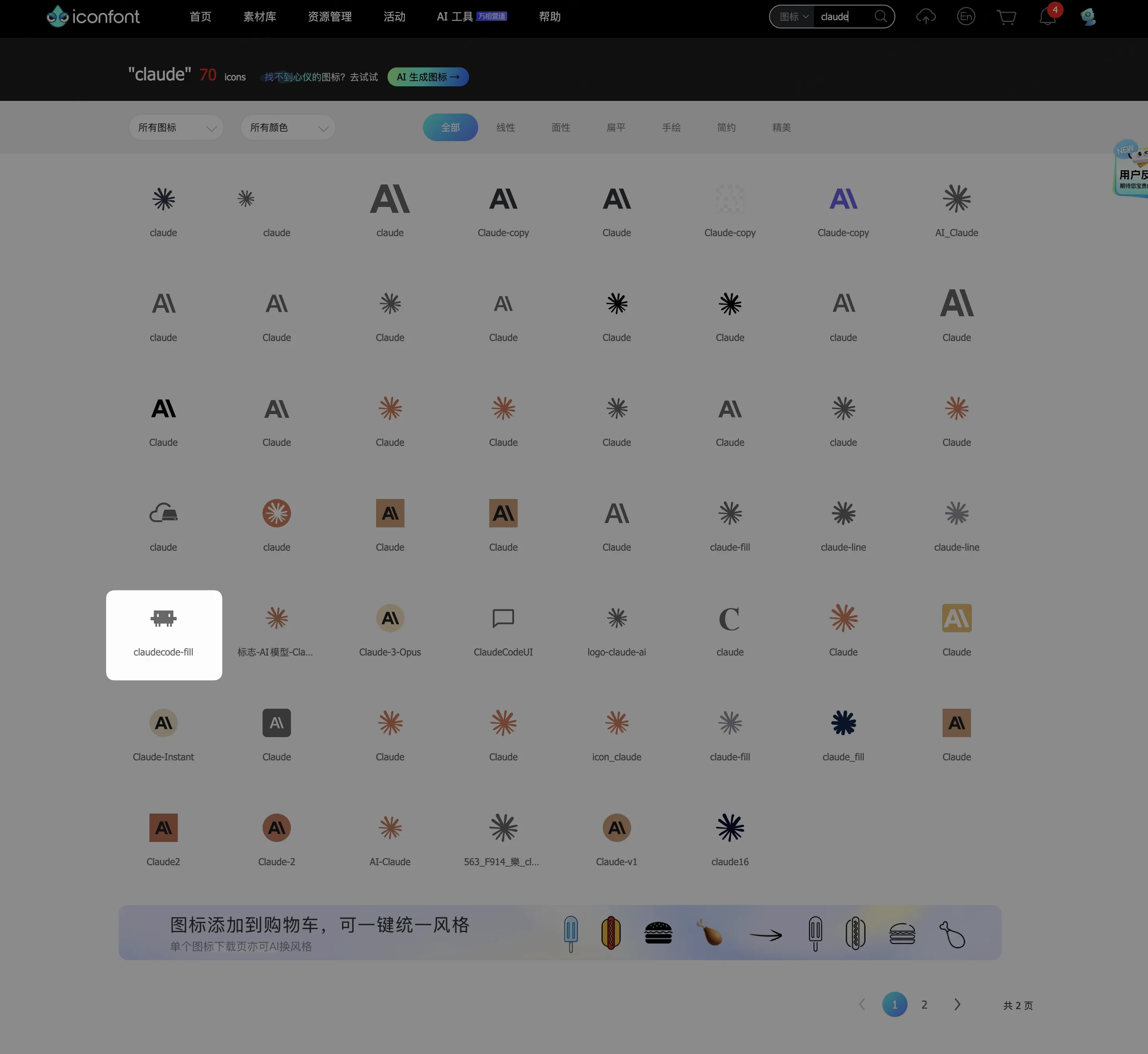
I searched on iconfont and immediately spotted the Claude Code crab icon — the design is instantly recognizable:
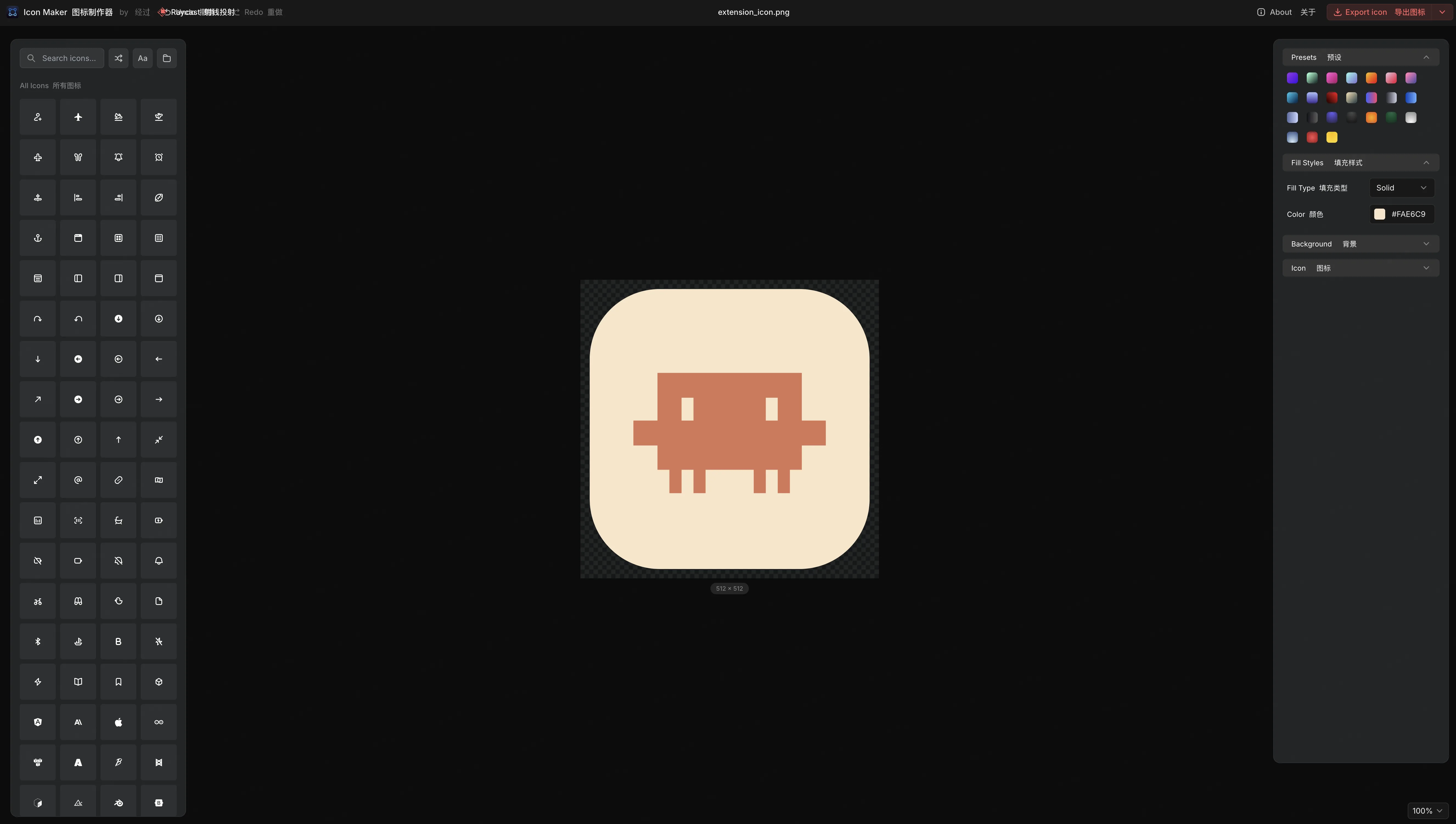
Then I used Raycast's official Icon Maker tool, chose the colors and style, and generated the final extension icon:
Other than this step, from writing code to submitting to the Raycast Store, Claude Code handled everything. I didn't manually change a single line of code.
Feature Showcase
Session Monitoring
This is the core feature of the entire extension. Open Claude Code Sessions and all sessions are grouped by status: Active (executing), Waiting for Input (needs your response), Idle, and Ended.
Each session shows: project name, AI-generated label, editor/terminal type, Git branch, and duration. If the session is running in a Git worktree, a worktree badge is displayed.
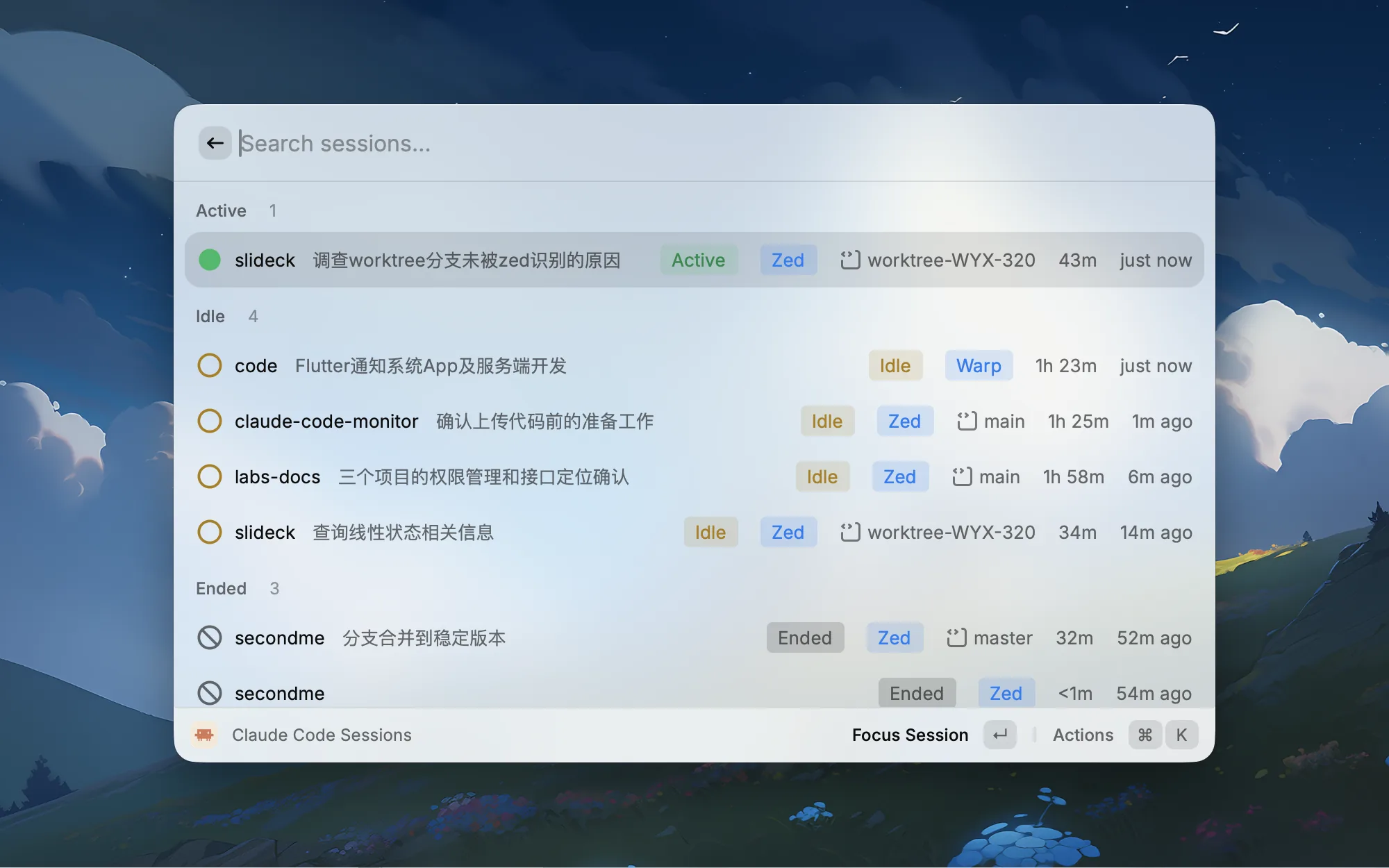
Select any session and press Enter to jump directly to the corresponding editor window (VS Code, Cursor, Zed, Windsurf) or terminal (Terminal, iTerm2, Warp, Ghostty, kitty). Ended sessions can be resumed with one click — no need to manually type claude --resume.
Menu Bar Presence
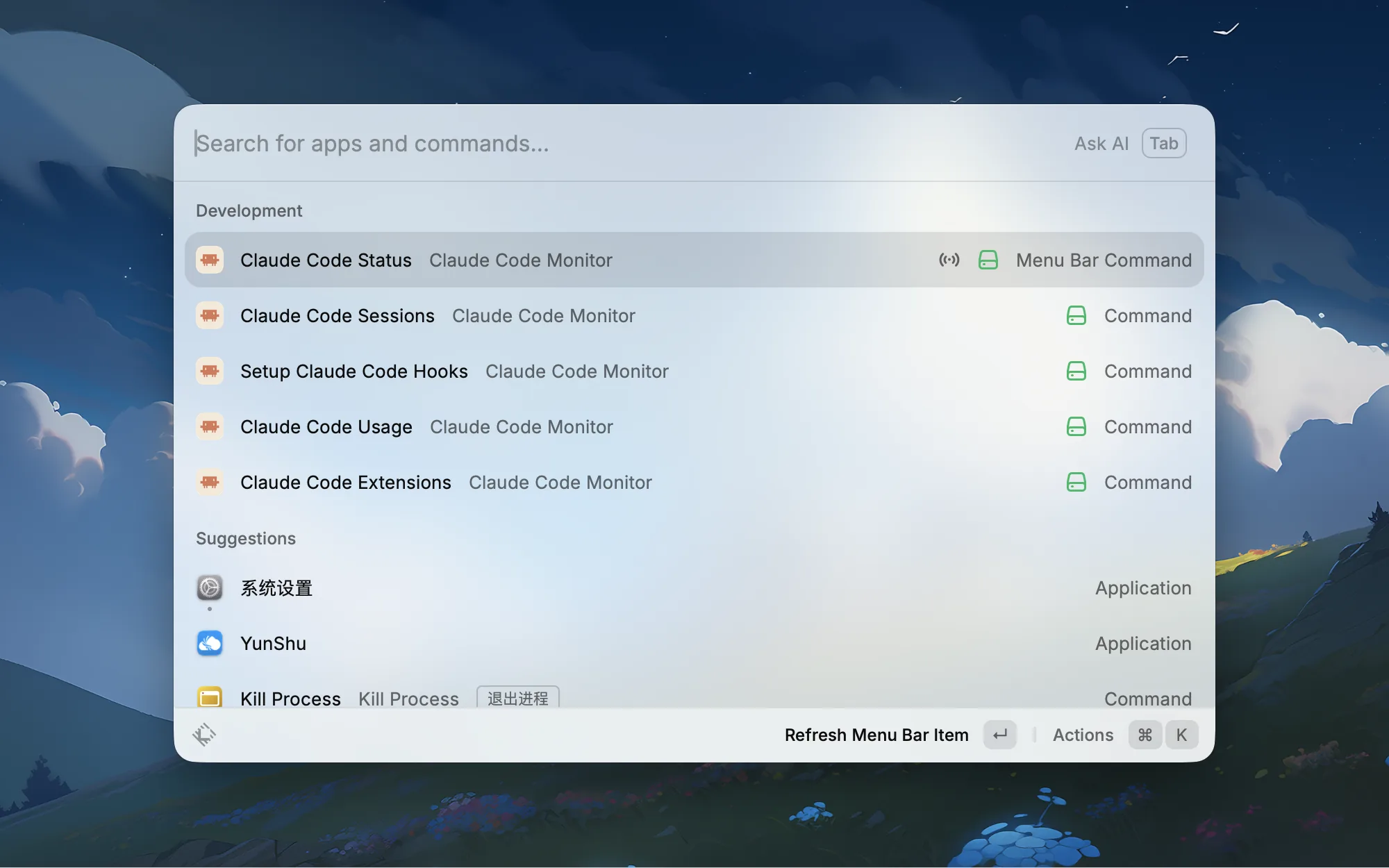
Claude Code Status is a menu bar icon that always shows the number of active sessions. The color changes based on status: green means a session is executing, orange means a session is waiting for your input, yellow means everything is idle.
Click the icon to expand a dropdown showing all sessions' project names, terminal types, durations, and statuses. Click any entry to jump straight to it.
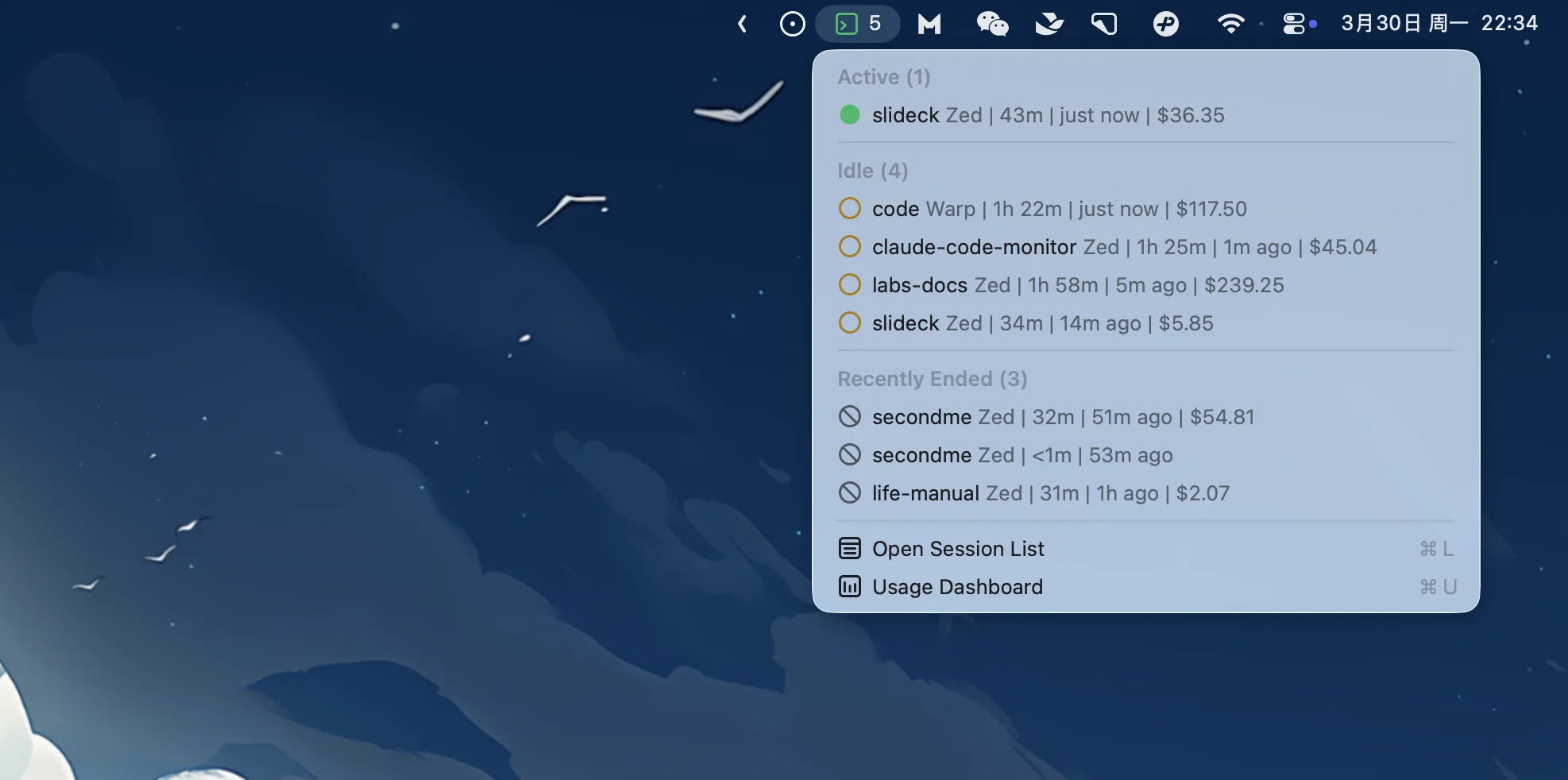
This solved my biggest pain point — no more cycling through terminal windows one by one. A quick glance at the menu bar: orange means it's waiting for me, green means it's working, everything else can wait.
And once you have this status bar, you can't help but want to keep it green — meaning there's always a session running, always work being done. The moment everything turns yellow, you immediately send out another task. In other words, you squeeze every last drop out of Claude Code without letting it sit idle for a single minute.
Usage Dashboard
Claude Code Usage provides comprehensive token usage analytics. The top section shows an overview: how many tokens used and how many sessions run for today, this week, and this month.
Below that is a daily usage trend chart (last 7 days), model-by-model consumption breakdown (Opus vs Sonnet vs Haiku), and per-project usage rankings — finally I can see which project is consuming the most tokens.
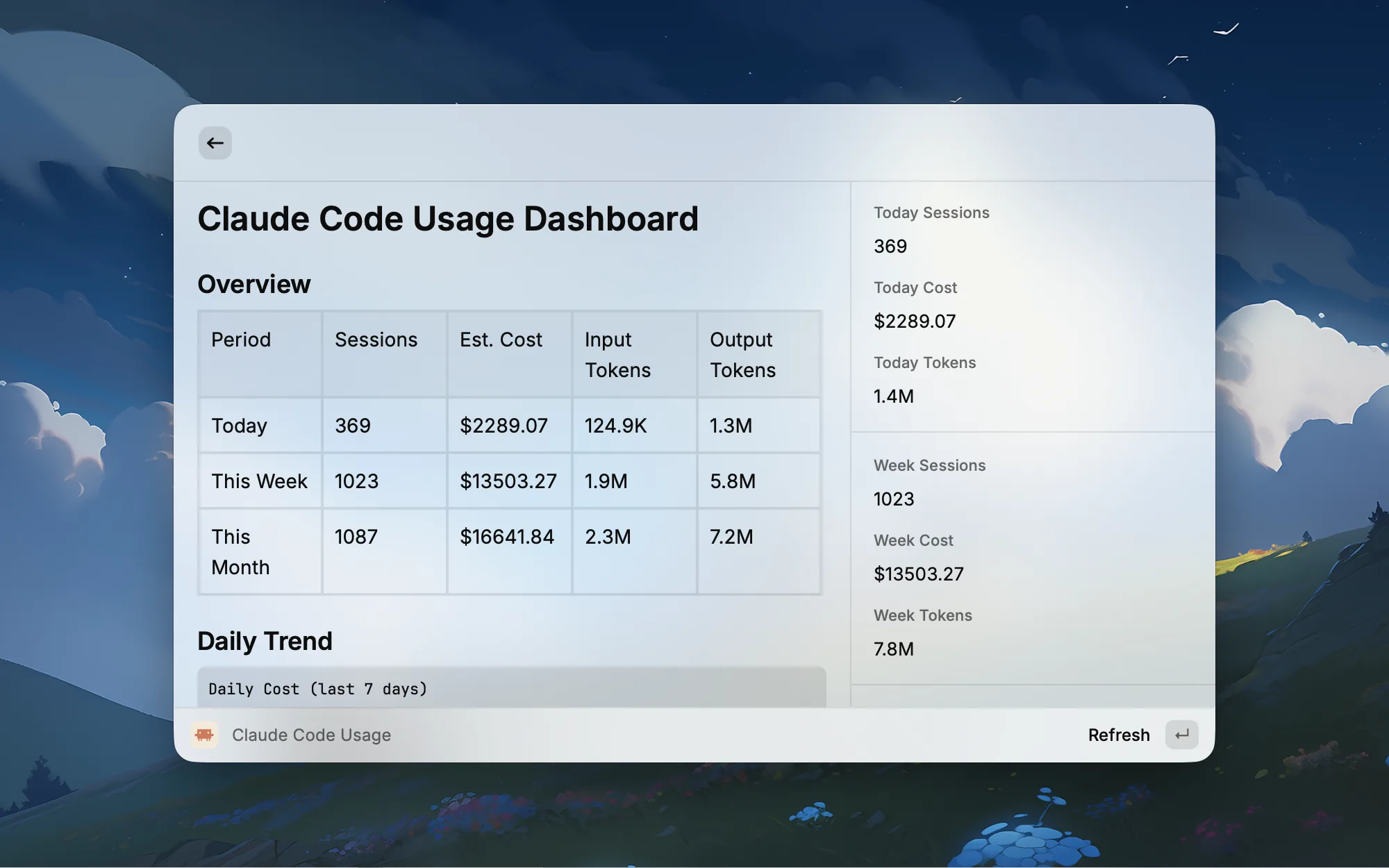
Now I check this dashboard regularly to understand each project's token consumption. When I spot a project with abnormally high usage, I can adjust strategy on the fly — for instance, switching simple tasks from Opus to Sonnet.
Extension Management
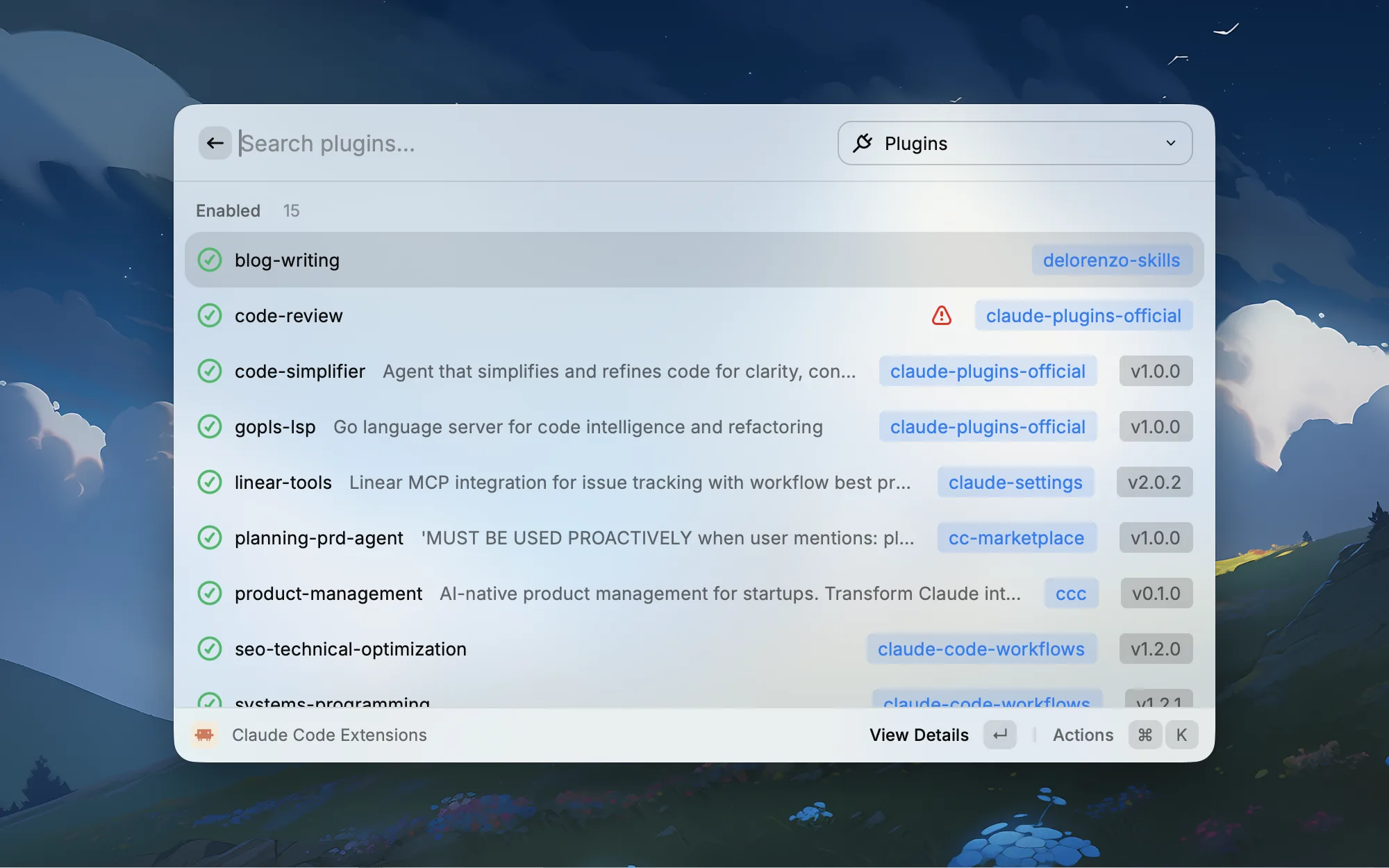
Claude Code Extensions unifies Plugins, Skills, and MCP Servers in a single interface.
The Plugins page lists all installed plugins, showing enabled/disabled status, version numbers, and source repositories. You can enable, disable, update, or uninstall with one click, and view each plugin's commands, skills, agents, and MCP servers.
The MCP Servers page shows all configured MCP servers and their connection status — Connected, Needs Auth, or Unreachable. For servers that need authentication, you can open the auth link directly to complete authorization.
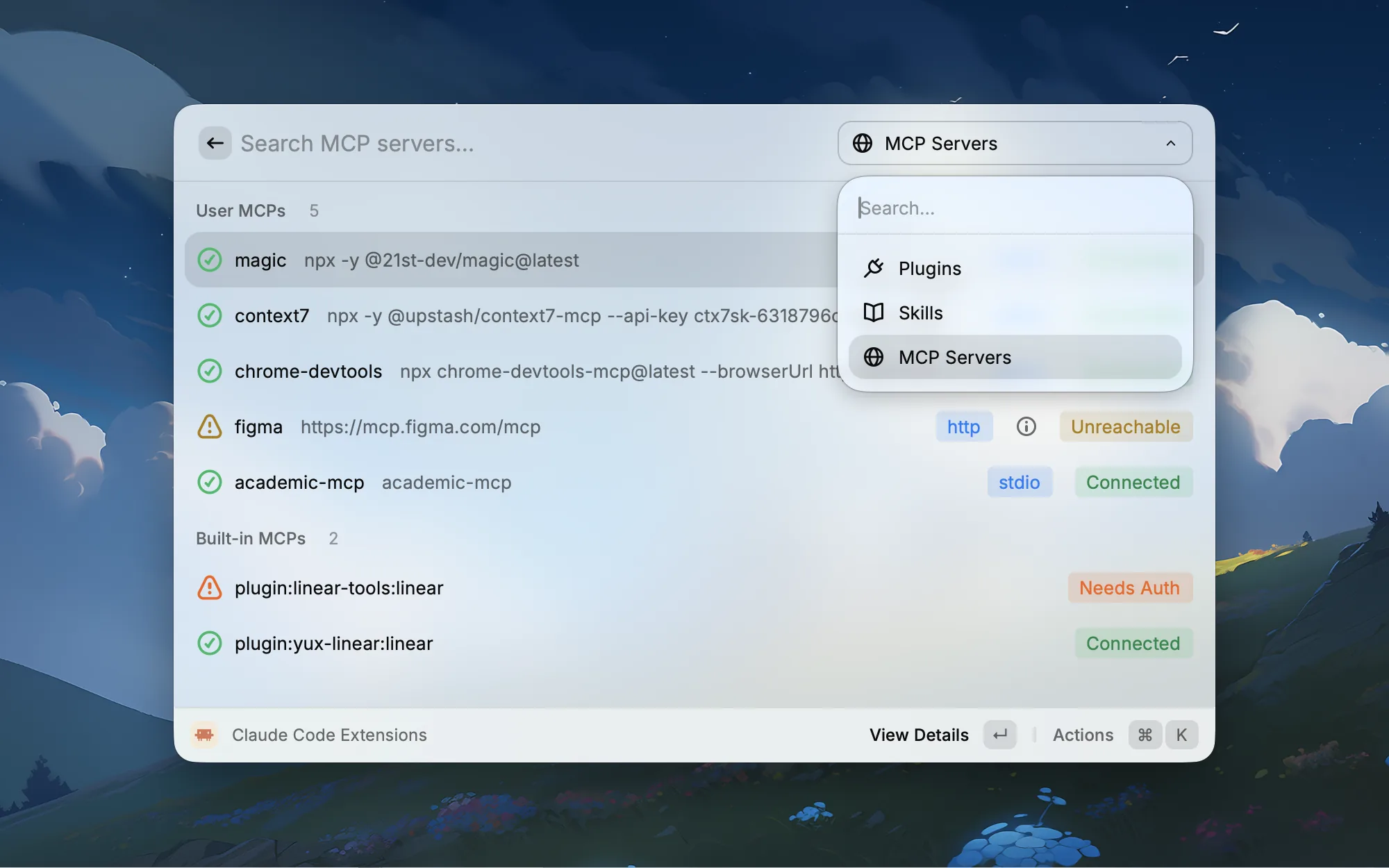
No more guessing whether an MCP server is actually connected.
Plot Twist: My Account Got Banned
There was an unexpected hiccup during development.
The extension has a feature that automatically generates labels for each session using Raycast's built-in AI capabilities. During debugging, I had several Claude Code sessions running simultaneously for repeated testing. Each session launch triggered a Raycast AI call to generate a label, and the request volume spiked in a short period.
Then one day I opened Raycast and couldn't log in. Email login didn't work. GitHub login didn't work either.
The ban notice was terrifying: permanent ban, violation of Terms of Service Sections IV, VI, and VIII, "AI abuse," no restoration.
I was stunned. I hadn't even had time to use up my $200 Claude credits — what exactly did I abuse?
I immediately went to Raycast's Slack community to appeal, posted my GitHub repo link, and explained: look at the code — this is a normal Claude Code monitoring extension. The AI calls are a functional part of the extension, not abuse.
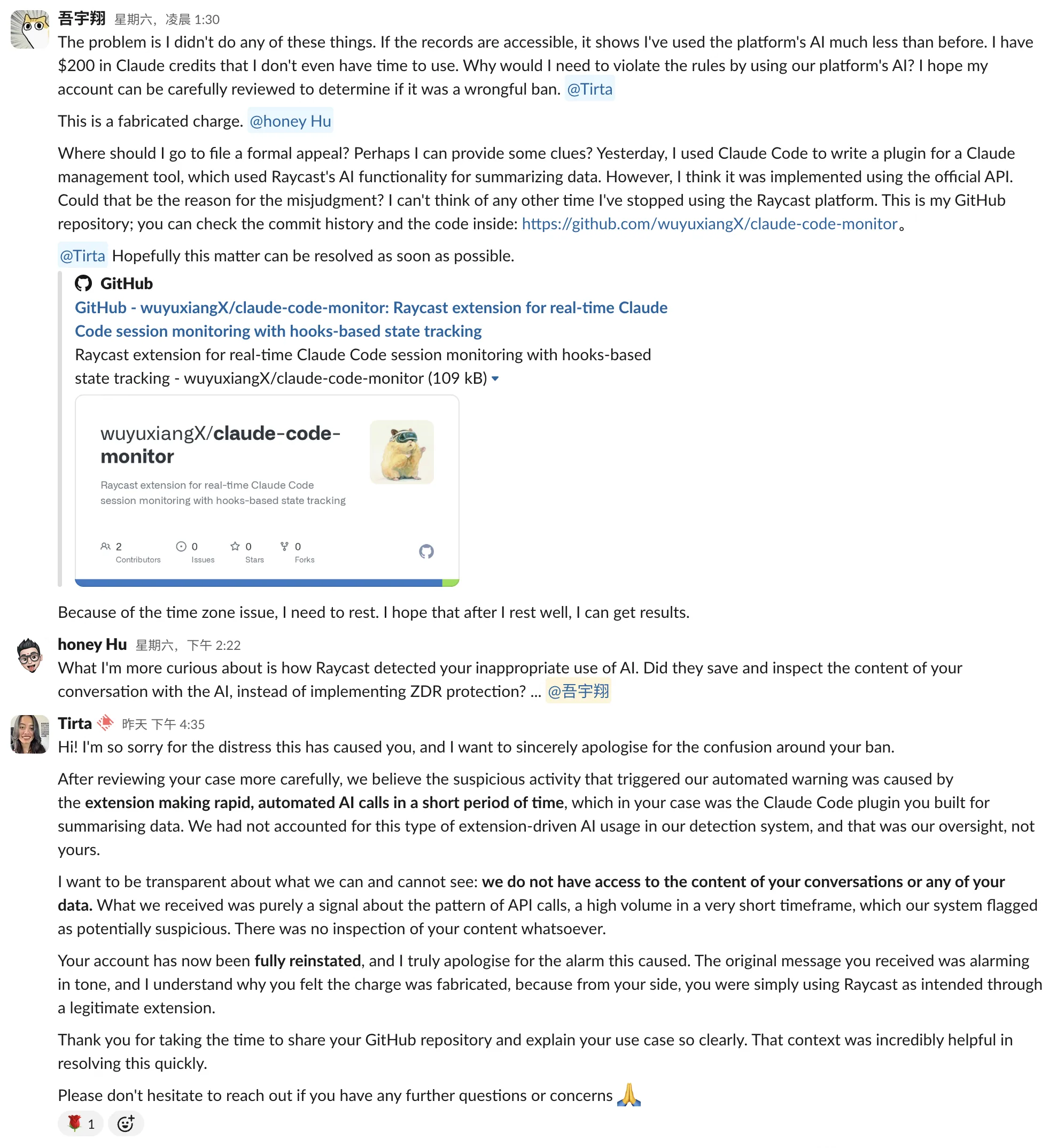
It happened to be the weekend, and the Raycast team wasn't working. Two days later, on Monday, Tirta finally replied. Fortunately, they were very gracious — they apologized directly, explaining that their automated detection system had falsely flagged the extension's legitimate high-frequency AI calls as abuse. They hadn't accounted for this extension-driven calling pattern before. It was their mistake. My account was restored immediately.
A false alarm. But looking at it from another angle, it proves the extension was genuinely doing its job — just a bit too diligently, to the point of confusing the platform.
Wrapping Up
From the initial thought — "if only I could see all session statuses at a glance" — to the fully functional Claude Code Monitor, the core features were built in a single evening. This is the real experience of AI-assisted development: a complete tool with session monitoring, usage analytics, extension management, and a persistent menu bar, going from idea to usable product faster than I ever expected.
This is the gift the AI era gives to regular developers: your productivity ceiling is no longer defined by which tech stack you know, but by which problems you want to solve.
The project is open source under the MIT license — contributions are welcome:
GitHub: wuyuxiangX/claude-code-monitor
If you're a heavy Claude Code user, give it a try. And if it doesn't quite fit your needs — no worries, build your own. You have the ability now.
Related Posts
Raycast: My Favorite Mac App
From a simple launcher to a full-blown productivity hub — a power user's guide to the best Raycast extensions for developers and everyday Mac use.
I Made a Raycast Version of Clash
My old client kept crashing, and all I needed was to start it, enable system proxy, manually pin nodes, automatically select the fastest node, and schedule rules. So, I moved Clash's daily control plane into Raycast.