
Zoom Out: Let AI Draw the Map When You're Lost
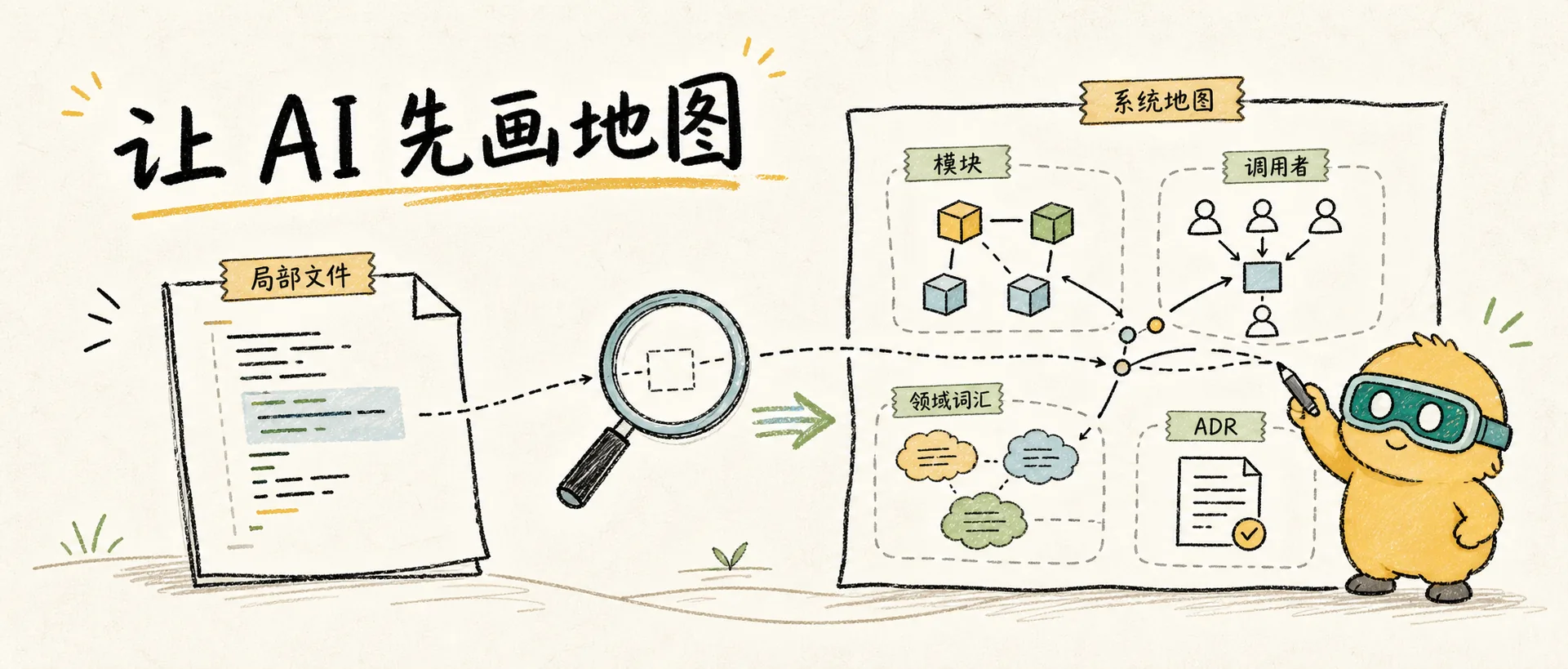
Deconstruct Matt Pocock's shortest engineering skill /zoom-out: it does only one thing, making the agent jump from local code to a higher level, explaining relevant modules, callers, and system location using the project's domain language.
Shortest, Yet Useful
/zoom-out is likely the shortest in Matt's suite of stable engineering skills. Its core instruction can be summarized as:
I'm unfamiliar with this piece of code. Please abstract to a higher level and draw me a map of relevant modules and callers using the project's domain language.
It's not for writing code, nor for refactoring. It's for handling a common state: both you and the AI are deep in a file, but starting to forget why this file exists.
The Failure Mode It Solves
AI programming can easily fall into local optima:
- User points to a file
- AI reads the file
- AI guesses intent based on local code
- After making changes, it's discovered that upstream callers, domain rules, or ADRs don't support the modification.
Humans do this too. When debugging for a long time, we can get fixated on a single function and forget its place in the system.
/zoom-out's role is to break this tunnel vision. It prompts the agent to pause implementation and first answer:
- Which domain concept does this code belong to?
- Who calls it?
- Who does it call?
- What invariants underlie it?
- How does it map to terms in
CONTEXT.md? - Is it constrained by any ADRs?
Difference from /improve-codebase-architecture
Both /zoom-out and /improve-codebase-architecture examine the system globally, but their goals are entirely different.
| Skill | Goal | Output |
|---|---|---|
/zoom-out | Help you understand unfamiliar code | Map, call relationships, domain explanation |
/improve-codebase-architecture | Find opportunities for architectural improvement | Candidate refactors, deletion tests, interface design |
/zoom-out is more like "Please explain this to me." It shouldn't rush to propose refactoring solutions, nor should it directly modify code. Its task is to reduce cognitive load.
Why Emphasize Domain Vocabulary
This skill explicitly requires using the project's domain glossary. The reason is: if explanations only use filenames, the AI might easily output something like:
OrderService calls OrderRepository, and then OrderRepository calls the db client.This sounds like an explanation, but it isn't. A more useful map would look like this:
In the Checkout flow, Order Draft is a temporary order before the user completes payment.
Order Finalization converts a Draft into an immutable Order and triggers Inventory Reservation.
`OrderService.finalize()` is the seam for this conversion, primarily called by Payment Callback and Admin Retry.
The second explanation places the code back into the business language. You don't just know "who calls whom," but also "why it exists."
When to Use It
I recommend proactively invoking /zoom-out in these scenarios:
- Before taking over an unfamiliar module
- When fixing a bug but unsure of the relevant call chain
- When reviewing AI-generated code and can't tell if it's modified at the correct level
- When preparing to write a PRD and wanting to confirm module boundaries
- After looking at 3 files without forming a system diagram
- Before running
/improve-codebase-architecture, but unsure of the candidate areas
It's particularly suitable as a "5 minutes before starting" step. Some bugs aren't due to difficult code, but because the wrong level was looked at initially.
A Reusable Output Format
Although the original skill is extremely brief, I suggest having the AI output in this format when using it:
## This code's place in the system

## Key Domain Terms

## Main Modules

| Module | Responsibility | Callers | Called By |
|---|---|---|---|

## Key Flows

## Known Constraints / ADRs

## Files I Recommend Reading First
This format is more stable than a casual explanation and better suited for conversion into context for subsequent /to-prd or /diagnose tasks.
Don't Use It as a Planning Mode
The danger of /zoom-out is that after explaining the map, the AI might casually suggest "it could be changed like this." If you only want to understand the code, you should explicitly limit it:
Explain the structure only, do not propose implementation solutions, do not modify files.Its value lies in separating decision-making from understanding. Proposing solutions when understanding is unclear often just wraps misunderstandings in prettier packaging.
My Usage Recommendations
/zoom-out is well-suited for combination with other skills:
/zoom-out→/diagnose: First understand the system map, then build a feedback loop./zoom-out→/grill-with-docs: First understand the existing domain language, then interrogate new requirements./zoom-out→/to-prd: First confirm module boundaries, then write the PRD./zoom-out→/improve-codebase-architecture: First draw the map, then find shallow/deep issues.
It's not a complete process, just a brake. When the AI starts making more and more changes in local files, having it zoom out first can often save a round of rework later.
Resources
zoom-out Source File
让 agent 上升一层抽象,说明相关模块和调用者地图。
Next: Prototype: Answer a Design Question with Disposable Code.