
Setup Matt Pocock Skills: Clarify Project Rules First
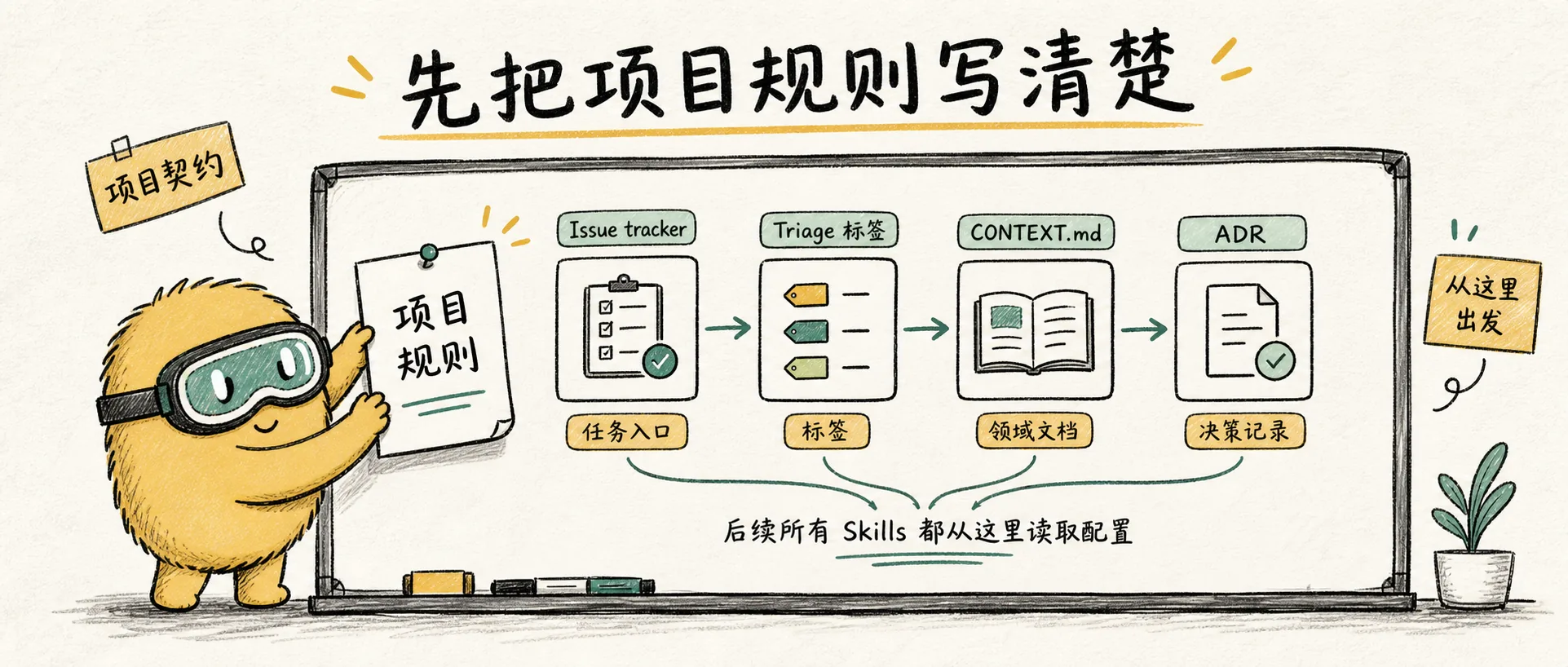
Explains why /setup-matt-pocock-skills is the entry point for the entire engineering skill set: it's not an installation script, but rather a project contract that defines issue trackers, triage labels, CONTEXT.md, and ADR paths for other skills to reliably read.
This Skill Solves More Than Just Installation
/setup-matt-pocock-skills can easily be misunderstood as an "initialization command to run after installation." In reality, it's more like a project contract generator: it informs subsequent skills about how the repository tracks tasks, how issues are labeled, and where to find domain language and architectural decisions.
Matt specifically reminds users in the README's Quickstart to select /setup-matt-pocock-skills during installation and then run it within the agent. The reason is simple: to-prd, to-issues, triage, diagnose, tdd, improve-codebase-architecture, and zoom-out all require the same project context. If each skill were to ask for this information temporarily, the workflow would become fragmented.
It doesn't "configure Claude's preferences," but rather answers three engineering questions:
| Question | What it clarifies | Who uses it later |
|---|---|---|
| Where is the issue tracker? | GitHub, GitLab, local markdown, or another system | to-prd, to-issues, triage |
| How are triage labels mapped? | Which real labels correspond to roles like needs-triage, needs-info, ready-for-agent, etc. | triage |
| Where is the domain documentation? | A single CONTEXT.md, or multiple contexts like CONTEXT-MAP.md + partitioned ADRs | grill-with-docs, diagnose, tdd, zoom-out, improve-codebase-architecture |
Why It's Important
The core idea behind this set of skills is "small and composable." The trade-off for being small is that these skills don't want to take over the entire project workflow, so they must understand your project's actual conventions.
For example, /to-issues needs to create an issue. Without setup, it wouldn't know whether to:
- Call
gh issue create - Call
glab issue create - Write to
.scratch/<feature>/ - Or generate text that can be copied for Linear/Jira
Another example: /triage needs to move an issue to ready-for-agent. If your repository's actual label is ai:ready, and the skill creates a new label ready-for-agent, your issue tracker will immediately become cluttered.
Therefore, the value of /setup-matt-pocock-skills isn't automation, but making implicit conventions explicit.
What It Reads
This skill begins by exploring the repository rather than making assumptions:
git remote -vand.git/config: To determine if it's a GitHub/GitLab project.- Root directory
AGENTS.md/CLAUDE.md: To check if a## Agent skillssection already exists. - Root directory
CONTEXT.md/CONTEXT-MAP.md: To determine the format of domain language documentation. docs/adr/andsrc/*/docs/adr/: To check if ADRs are global or module-specific.docs/agents/: To see if setup has already been run..scratch/: To check if local markdown issue conventions already exist.
This aligns with Matt's entire workflow style: first, examine the project's actual state, then write the rules.
Three Decisions
1. Issue Tracker
This is where subsequent work items will be landed.
The default preference is GitHub, as this skill set was originally designed around GitHub Issues. However, it treats GitLab and local markdown as first-class options:
| Choice | Suitable for what scenario |
|---|---|
| GitHub | Open-source projects, existing GitHub issue workflow |
| GitLab | Company projects on GitLab, accustomed to using glab |
| Local markdown | Personal projects, temporary exploration, no remote issue tracker |
| Other | Jira, Linear, Feishu, Notion, etc. Requires documenting your actual workflow in text. |
The key is not to pick one, but to choose the one your team actually uses. If you choose incorrectly, subsequent skills will create tasks in the wrong system.
2. Triage Label Vocabulary
/triage internally uses 5 status roles:
| Role | Meaning |
|---|---|
needs-triage | Awaiting maintainer judgment |
needs-info | Awaiting reporter to provide more information |
ready-for-agent | Clear enough to be handed off to an AFK agent |
ready-for-human | Requires human judgment or implementation |
wontfix | Will not be addressed |
Setup will ask you for the real label names corresponding to these roles. If your project doesn't have existing labels, using the default names is fine; if you already have your own naming system, you should map them here rather than letting the skill create a new set.
3. Domain Docs
This is the biggest difference between Matt's skills and ordinary prompts: they don't just look at the current conversation, but also read the project's domain language and architectural decisions.
The simplest form:
/
├── CONTEXT.md
└── docs/
    └── adr/
A large monorepo can use multiple contexts:
/
├── CONTEXT-MAP.md
├── apps/
│   └── web/
│       ├── CONTEXT.md
│       └── docs/adr/
└── services/
    └── billing/
        ├── CONTEXT.md
        └── docs/adr/
Setup doesn't force you to complete all documentation now; instead, it tells subsequent skills where to look and how to create them if they are not found.
What It Writes
Ultimately, there will be two types of output.
The first type is the ## Agent skills section in AGENTS.md or CLAUDE.md:
## Agent skills

### Issue tracker

...

### Triage labels

...

### Domain docs

...
The second type consists of three files under docs/agents/:
| File | Content |
|---|---|
docs/agents/issue-tracker.md | Issue system, commands, conventions for creation/updates |
docs/agents/triage-labels.md | Mapping from canonical roles to real labels |
docs/agents/domain.md | Rules for reading CONTEXT.md, CONTEXT-MAP.md, and ADRs |
Note that it will prioritize editing an existing CLAUDE.md; only if CLAUDE.md doesn't exist will it consider AGENTS.md. This reflects an important restraint: do not create two competing entry points for agent rules within a project.
How I Recommend Using It
When installing Matt's skills for the first time, the sequence should be:
- Install:
npx skills@latest add mattpocock/skills - Select
/setup-matt-pocock-skills - Run
/setup-matt-pocock-skills - Answer the three questions about issue tracker, labels, and domain documentation based on your actual project state.
- Review the generated
## Agent skillsanddocs/agents/*.mdfiles. - Then start using
/grill-with-docs,/to-prd, or/triage.
If you just want to experience /grill-me in isolation, you can skip setup; but as soon as you enter the engineering workflow, it's best to do this first.
Design Inspiration for This Skill
/setup-matt-pocock-skills might seem simple, but it solves a common problem in agent workflows: rules are scattered in people's minds.
Many teams treat information like "which labels do we use," "which issues can be given to AI," and "where is CONTEXT.md" as verbal agreements. People know, but AI doesn't. When AI doesn't know, it repeatedly asks, or worse: guesses.
The purpose of setup is to turn these verbal agreements into readable files. Subsequent skills don't need to be smarter; they just need to reliably read the same project contract.
This is also why I think it deserves its own article: it's not a flashy skill, but it's the foundation that allows the entire workflow to run smoothly long-term.
Resources
setup-matt-pocock-skills Source File
为工程类 skills 生成每个仓库自己的 issue tracker、triage 标签和领域文档配置。
Next article: Grill Me: Let AI Grill You with 50 Questions Before You Write Code.